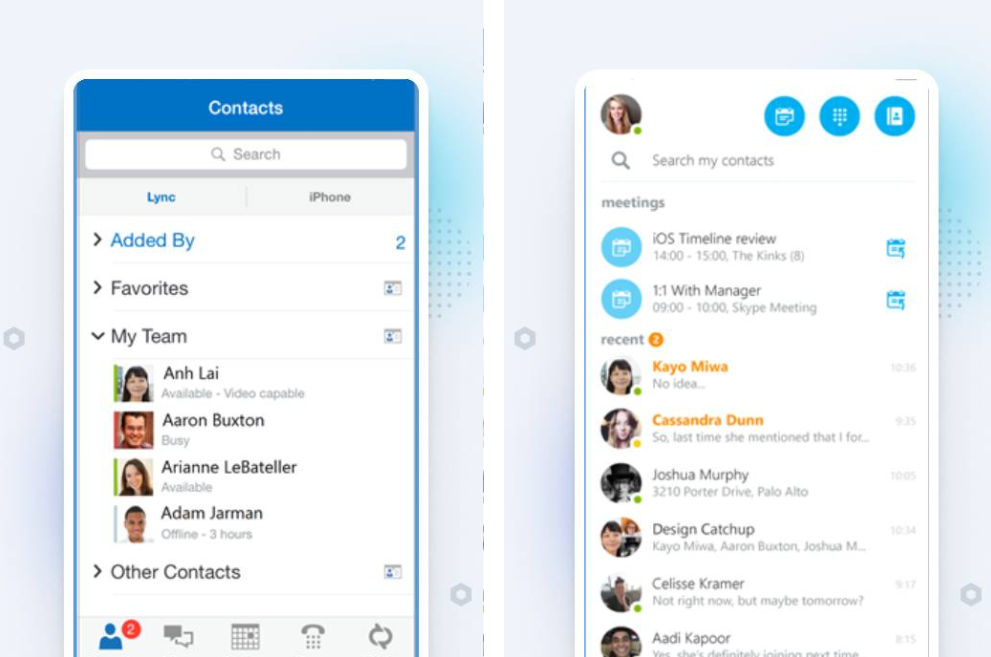
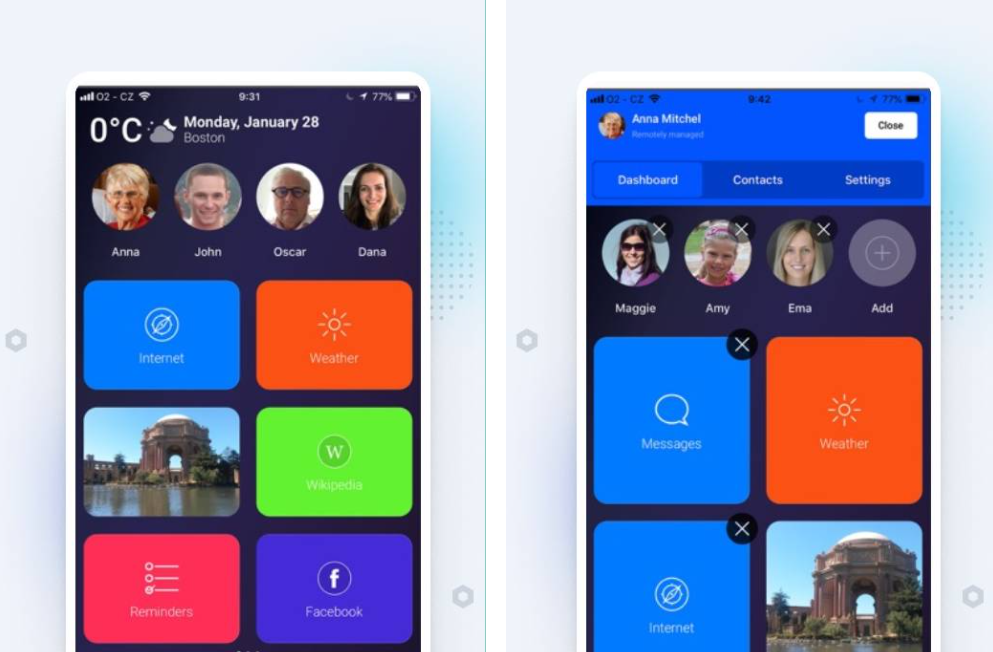
Best Video Communication Devices for Seniors

Senior adults grew up watching futuristic films that involved teleportation and 3D holograms. Although we have struggled to apparate people to a remote location, video calling has become a reality.

There are numerous ways a grandparent can connect with their loved ones. You can use an app (like Skype) or buy a dedicated device just for this purpose. Today we will talk about "Four Amazing Video Call Devices a Grandparent will ever need."

Nancy, 65, has tried various video calling devices over the years and will help us decide what we should look for when buying one.

Let's get started!

Facebook Portal

Designed by Facebook, this device tops our list for the best video calling devices. It has many features and yet, is simple enough to use.

It's robust and solid. You can even put it on a desk, and it would function as a picture frame.

Nancy has even linked her Instagram account to Portal.

She enjoys the slideshow of her family pictures straight on the device.

Now, Facebook is not known to provide superb privacy to its users. But this device passed the privacy tests we conducted.

It has a physical shutter on the camera. For peace of mind, you can simply cover the camera lens with the ease of a finger-slide.
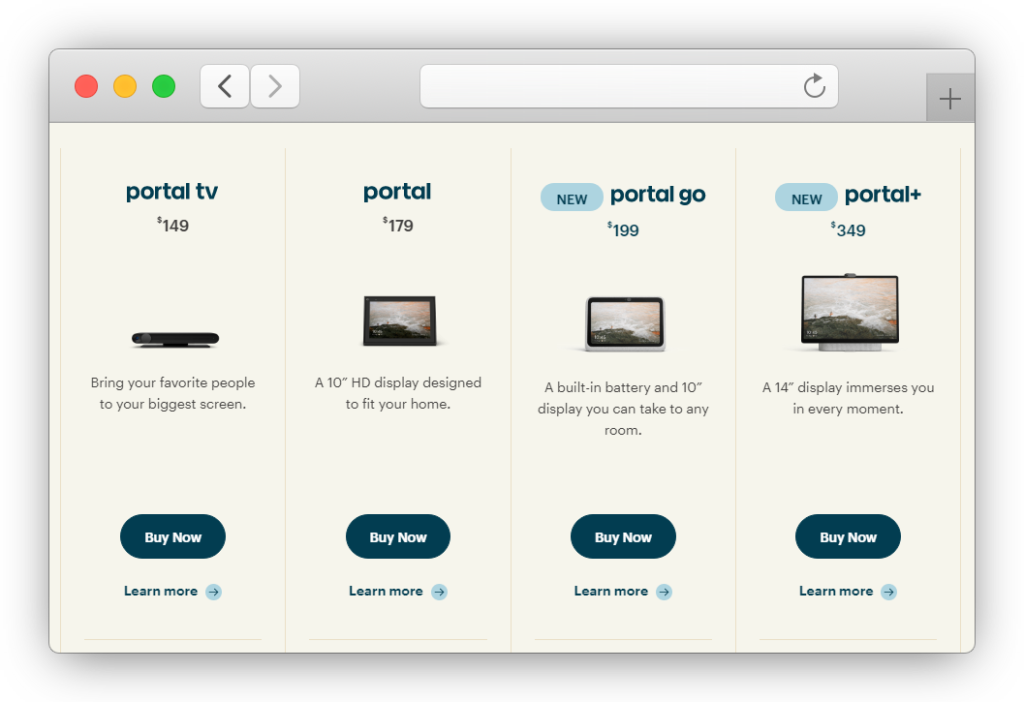
Facebook portal layout

And Facebook does not collect personalized data from the device. It is truly a remarkable initiative.

Facebook cannot see or access any video calls made through the Portal, thanks to the E2EE security. 

Talking about the quality of video calls on this device, it tops every other device on this list. With a 12 megapixels camera built with a wide field of view, you will get a great video calling experience. 

All you need is a strong Internet connection. 

And with so many microphones, people from the other side of the screen will hear you loud and clear. No need to yell on video calls anymore!

What makes Facebook Portal even more winsome is Alexa.

Yes, you can use the old-age-friendly Alexa in Facebook Portal.

Listen to your favorite podcast on Spotify, call your children, or even check out the new lasagna recipe – by simply asking Alexa.

"Alexa, tune in to my favorite radio stations."

Venerables love using Facebook Portal for so many reasons. Its build quality, video chat quality, better privacy, security, and price. 

It costs less than the majority of video calling devices out there.

A good, handy Portal Go costs around $199. 

With a 10-inch display, it is a go-to choice for most.

If you want a larger HD screen (15.6"), Facebook offers Portal+ at $349. It will not look like a picture frame. But rather a big video calling TV straight from the 70s.

You can browse all Portal devices here.

GrandPad

Designed for people from the "Silent Generation." 

That's the term for people born between 1928 to 1945.

There isn't a more easy-to-use device available in the market. At least that's how the company advertises the product. 
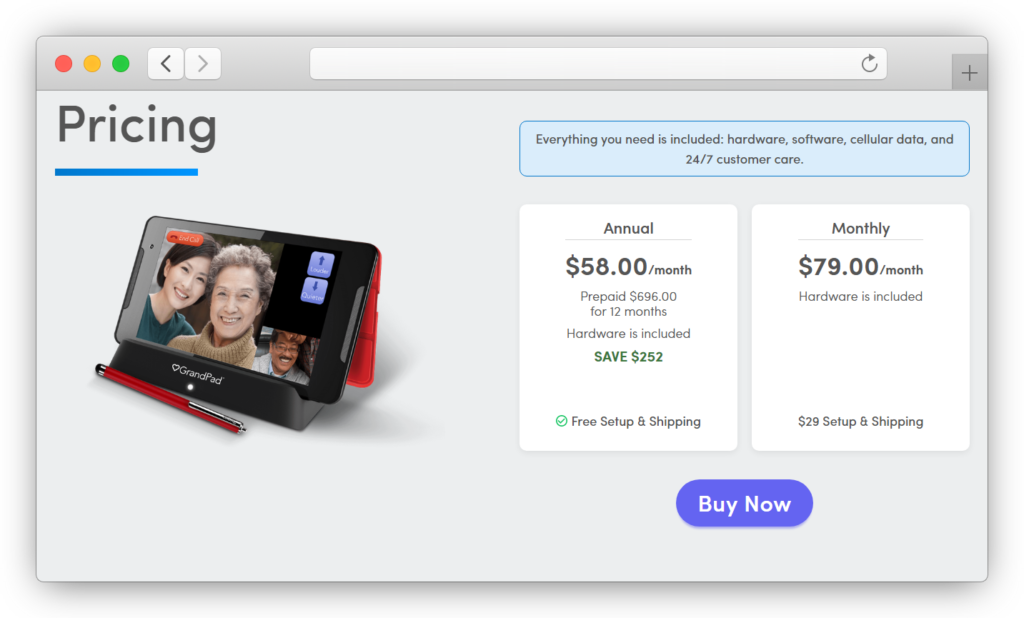
Grandpad layout

The interface is designed for people with poor eyesight or impaired hearing.

GrandPad markets its device for people over the age of 75. And it has helped many grandparents to stay in touch with their family and friends.

It features a bright display that can work with dry fingers, which is common in old age. And it also comes with a stylus if you like to use one.

The interface does not require any scrolling. Most great-grandparents do not like to scroll. GrandPad lets users swipe between video calling and other features with ease. 

Children can even manage the contacts stored in the device straight from their own smartphones. All they have to do is install the GrandPad app on their phone, and voila.

GrandPad even comes with various video games to help pass the time and exercise the old nerves in the brain.

You don't even need a wifi connection to stay connected. GrandPad comes with a built-in 4G connection.

The super-simplified menu is the bonus even for the most techno-phobic seniors out there.

GrandPad offers some great solutions that none other devices offer in its segment. However, for many users, it is overpriced and unreasonable.

GrandPad comes with a subscription-only system. This means you have to pay $50/month (rather than a one-time charge) to use it. 

Konnekt Videophone

Advertised as a device for people with "physical, cognitive or mobility disabilities," Konnekt Videophone sounds like a device straight from a robot scientist's den.

Made with pure compassion, Konnekt Videophone is even easier to use than the GrandPad. You cannot play games or browse the Internet with it.

Video calling is the only feature this device offers.

You can install the device on the wall.
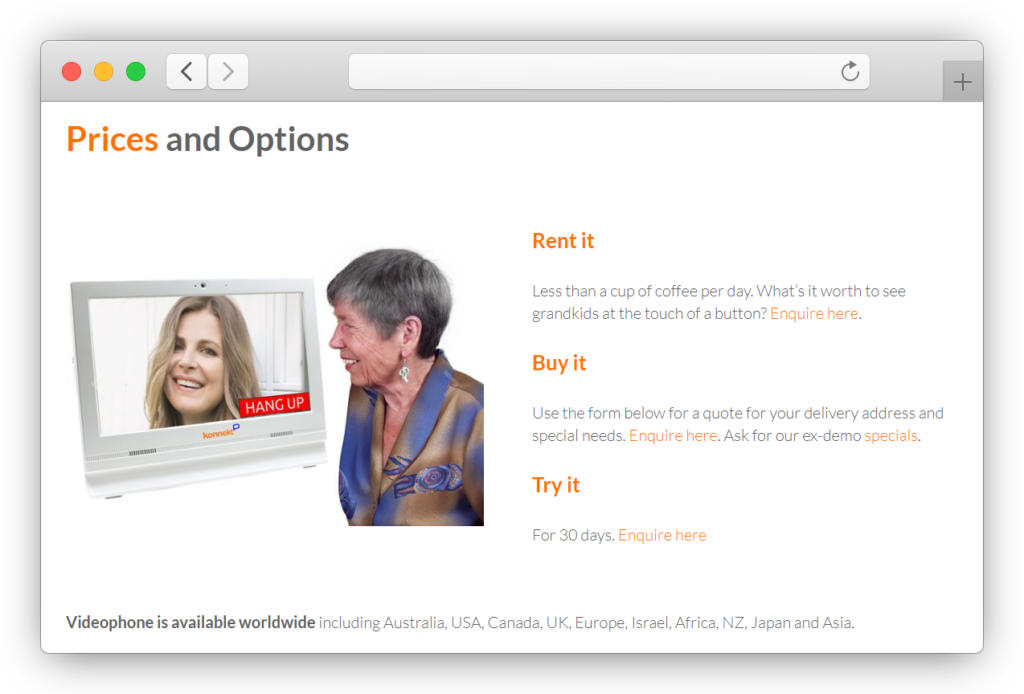
Konnect videophone layout

And after installation, you will see big buttons with names labeled on them.

Once you press a button, Konnekt will connect you with the person you called. The big buttons are customizable.

Konnekt also offers "sequence calling," which can save you from "answering machine anxiety."

What sequence calling means is that after pressing the "big button" to call the recipient, Konnekt will call on their Skype application. If they do not pick up, Konnekt will retry on their phone numbers.

You don't have to press the buttons again and again.

Nancy found this feature extremely useful for her aunt (82), as she finds it hard to touch a screen with her Parkinson.

Konnekt only accepts phone calls from the saved contacts. It protects the great-grandparents from telemarketing and spam calls.

As mentioned, Konnekt works seamlessly with Skype. It's a stripped-down and simplified video calling device for the super-elderlies and differently-abled folks. 

It also works well for dementia and arthritis patients.

Derek bought one for her mother (94 years old), and he is happy. In his own words, he found her mother better and more content after they got her the videophone.

For the elderly over 75, Konnect is an excellent choice. However, some of the other options in this list can provide more value at a much lower price.

We think it's a beautiful thing one can do for their parents to eliminate or reduce the feeling of isolation.

Konnekt does that amazingly. The only downside we found was its opacity with the pricing.

You can either buy one (around $1050) or get one on rent ($2 per day).

Either way, it is costly.

After buying the device, you get unlimited calls (even regular ones) for free. The support team is responsive. They will even come and install it for you.

ViewClix

A stripped-down version of Facebook Portal.

It looks like a 10-inch picture frame. It syncs with your family members, and they can share their pictures with you through the ViewClix app installed on their phones.

A magical picture frame straight from the books of JK Rowlings!

There are no buttons on the device. And you can only accept incoming calls. 

Some users found it frustrating. But many others were relieved to be excused from using technology.
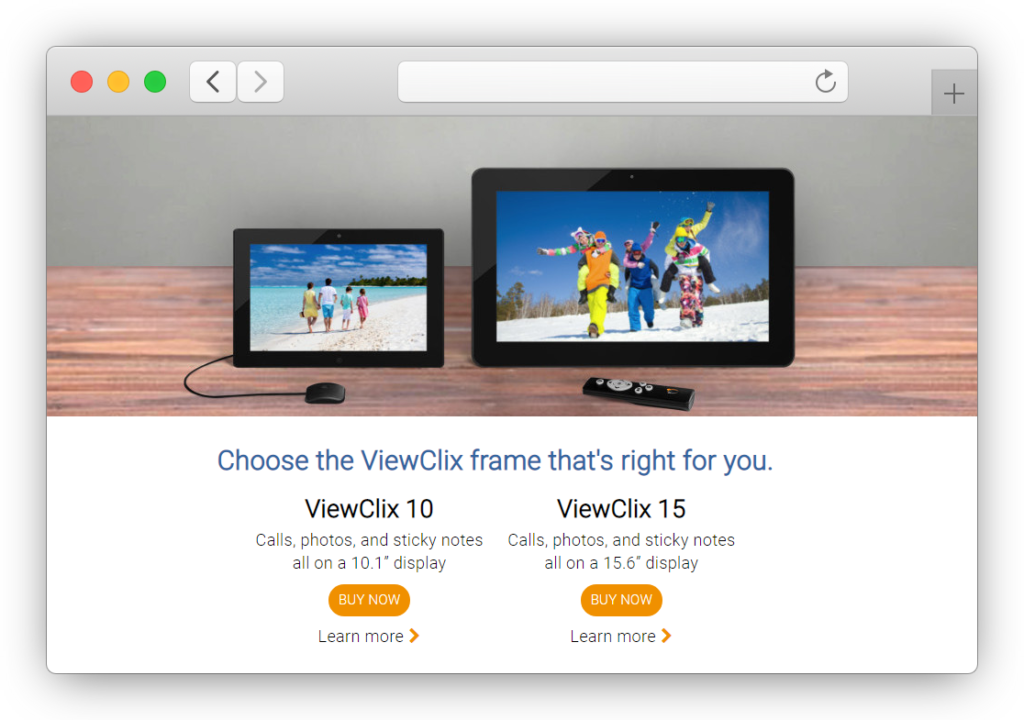
Viewclix layout

You will also get an external mic and a little remote control with the frame.

Grandparents can receive calls that they can answer to connect with the caller.

Family members need to have a ViewClix account to share their family photos to the fancy picture frame and call their parents or grandparents on it.

You can easily set up one on your kitchen island or on your bedside table.

The device is clean and straightforward. Pricing is similar to Facebook Portal. 

With $199 plus the shipping fees, you can own a 10-inch ViewClix. 

If you need it with a bigger screen (15-inch), it will cost $299.

ViewClix offers a 30-days moneyback guarantee, so if you think ViewClix is for you, give it a try.

Amazon Echo Show 8 (1st Gen, 2020 Edition)

It is cheaper than Facebook Portal and offers plenty of video call features. Their best upsell is Alexa.

The 8" screen and four in-built microphones ensure a good video calling experience. However, the mere 1-megapixel camera can sound ridiculous considering how far we've come in mobile camera technology.

The display is juggling-friendly. It is very robust and hard to crack or scratch.

You can even stream Amazon Photos, Music, YouTube, Netflix, or Prime video with the Echo Show. 

Loved by many elders and kids alike, Amazon Echo Show is definitely a great device on the list. It offers features beyond video calls. Or at least what some of their users claim.

However, it is more complicated to use compared to other devices in this segment. It makes an excellent choice for elders between 50-60.

It is also pretty cheap. You can get one with free one-day delivery from Amazon at just $100.

It gets to an even cheaper rate during Amazon sales or Christmas seasons.

If you want an even cheaper alternative, we would suggest Echo Show 5, 2021 edition.

It is smaller but more convenient and portable. Some might even enjoy a smaller screen.

However, the bulky design and user interface bathed with annoying adverts is not for everyone.

Not to mention, you need an Amazon account to use this device.

Bthere.care

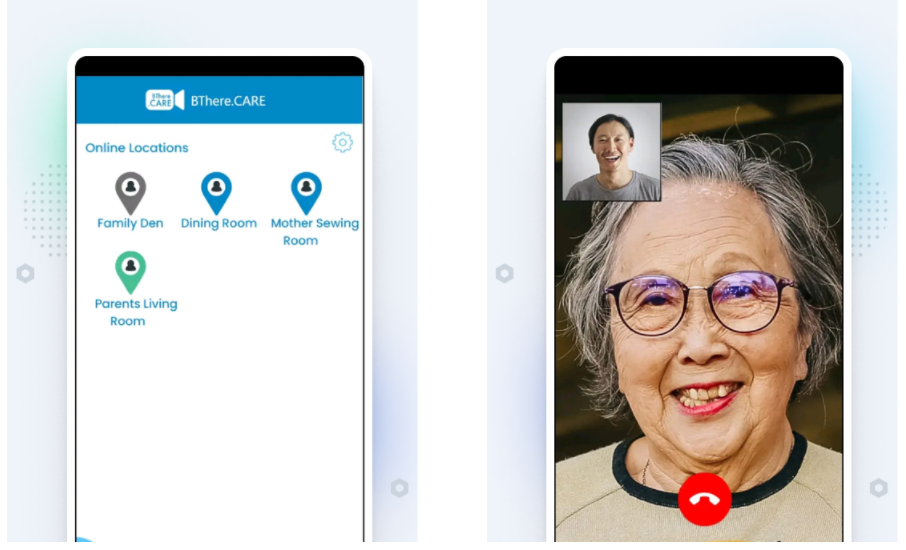
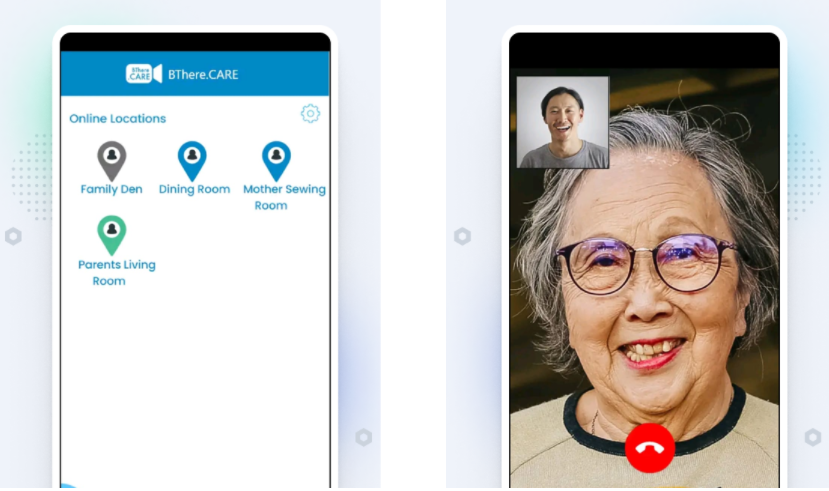
Bthere is not a video calling device, per se, but a highly recommended alternative that can turn your tablet or smartphone into an intelligent video calling device.

Its uncluttered design and clean interface are loved by all. 

It is superior when it comes to quality, privacy, security, and ease of use.

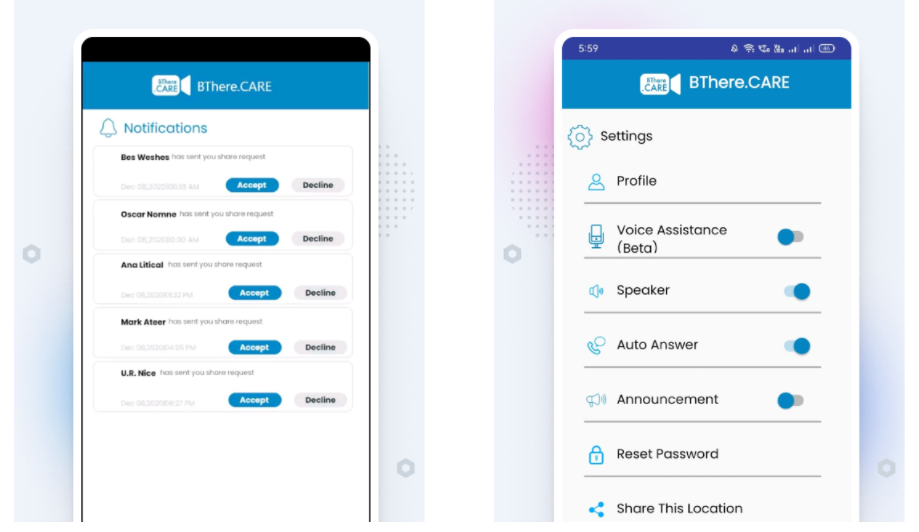
You will never see an advert, ever. The calls are easy to make and receive. The interface is smooth and straightforward. There is 24x7 connectivity which ensures the wellbeings of a grandparent. You can even set up a personal circle in the app to only allow a selected group of people to participate in fun family video parties.

Bthere offers some of the most outstanding features, like an advanced AI-powered automatic-answering that works seamlessly.

And you don't even need to spend thriftily on devices to get connected with your grandparents.

Have a look at Bthere and other innovative apps you can install to get connected with your parents and grandparents.

Special Mentions:

These are good, but just not good enough to make a cut in our Four Senior-Friendly Video Communication Devices a Grandparent will ever need" list.

Google Nest Hub

It is similar to Facebook Portal. The 7-inch device syncs with your Android mobile phone.

Google Nest Hub also works like a picture frame, displaying your Google Photos as a slideshow. 

It is a pretty decent device. Although, there is a catch. There is no camera on Google Nest Hub whatsoever. So you cannot use it as a video calling device or a security camera when you're away.

Available at $100+

Amazon Echo Spot

It could have been a smart video calling device option. But unfortunately, Amazon has discontinued the manufacturing and support for this device.

It used to be an intelligent bedside alarm clock with voice control assistance and video calling.

You can still purchase one on eBay. But at $130, there are definitely some better alternatives.

iPad

Starts at $300 and can go as high as $2,700.

iPad is used by many families to connect with their wisest and oldest members.

However, there are many better and smoother alternatives available. Apple's marketing game is just overwhelming to other brands.

iPad offers Facetime, and many other video calling apps like these can be installed directly on the Apple tablet.

Android Tablet

A cheaper and universal solution for anyone who needs a bigger screen. Android tablets offer a plethora of features imaginable on an android device. 

For tech-savvy seniors, tablets are a better solution. For everyone else their age, there are better ways to connect with others.

We have talked about various affordable and practical tablets for the golden-agers here. If you would rather buy a tablet than a dedicated video calling device, be sure to check the link.

People also asked

What is the easiest video calling device for seniors?

The easiest one has to be ViewClix. There are no physical buttons or taps on the device. It is a magical photo frame that requires little effort on installation.
The most accessible two-way calling device is Konnekt Videophone. However, it can be costly for some families.
Bthere.care offers everything you will ever need to connect with your loved ones safely and soundly, without facing much technology.

What is the best device for video conferencing?

Zoom video conferencing and Skype has topped among its competitors with many features. A close second is Google Meets (formerly Hangouts).
Although these are not devices in conventional terms, they offer what is sufficient for most people.

What is the easiest video call to use?

Bthere.care is relatively new but offers fabulous facilities and great privacy. You can install the app directly on your phone or tablet.

Conclusion

There are various ways to connect with others. We advise on staying connected, especially in this age and day. With digital advancements, it is easy to lose touch with anyone. But the elderly do not need to suffer.

They need much-deserved care and love. Be there for them.

There are devices made just for this purpose. Some are great, while others are trying. It's all about personal preferences. 

When it comes to devices, we loved Facebook Portal. But you can also use the phone or tablet you already own as your smart video calling device.

Bthere does that for you. It is an application created to make lives simpler and less lonely for the elderly. Its compassion reflects on the product.
Read more about the Bthere application here, and make sure to share this article with your peers and help a grandparent sitting lonely somewhere.
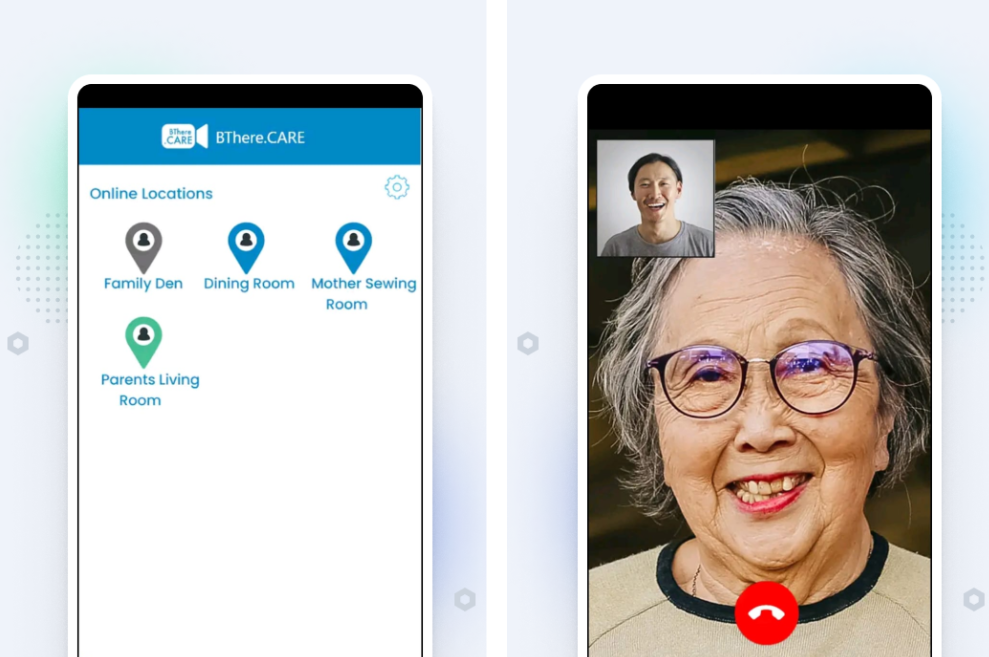
Best Video Calling app for Seniors

The Internet is filled with advanced and comprehensive apps. But isn't there a single solution for video calling? An app you can use without having to waste time learning.

Since the Covid strike and social distancing in 2020, people have learned ways to stay in touch with their loved ones. We have a plethora of video calling apps. It should be pretty simple to choose one.

But it can get tricky.

These apps are loaded with so many features. Martin, 71, had to install all he could find to see if it was worth the trouble.

There are several ways you can connect with your family friends over a tablet or smartphone.

Today we will list some of the best video chat applications for the golden-agers. Use any of these apps to connect with others. Some are better than others. But it's all about preferences.

Let's get started!

Bthere Care

According to a study, 43% of senior adults feel lonely. This can badly affect physical and mental health.

No one deserves to be alone. Everyone needs love and care.

Even though technology hasn't advanced enough to simulate physical presence, video communication is as close as we're going to get.

Bthere.care

Initially designed to help people connect in a difficult time, Bthere is more than just a video calling app.

It is effortless to use, blocks out all the advertisements, and its auto-answer feature provides peace of mind.

The Bthere stands out tall with its unique video calling capabilities. It features loud and clear audio output – designed specifically for the oldies.

And with a clean user interface, Bthere is simple enough for anyone to use. All you have to do is tap a couple of times, and you're connected to your loved ones.

To use Bthere, one doesn't need to be familiar with the technology. It is as simple as pressing a button.

It took Martin a minute to install the app on his iPad.

Bthere stays active every hour of every day, makes it easy for the users to check up on their parents. If you're looking for innovative apps that are immensely beneficial for the elderly, check in here.
Playstore Link

Facetime

Facetime is a fantastic video calling app if you already own an iPhone or iPad. Compared to other apps, it runs smoother on your apple device.

You don't have to install anything. If you own an Apple smartphone or tablet, you already have one installed on it. 

After a recent update, you can use Facetime to even connect with your non-apple friends and family members.

You can share the video chat link through a chatting app (say, WhatsApp), and people can connect with you quickly.

Remember, Facetime is not available in some middle-east countries. So if you or your children live in Dubai, better go for the alternatives.

WhatsApp

WhatsApp is the most popular messaging app in the world (2021).

It is fast, secure, and stable. According to Statista, more than 2 billion people use WhatsApp every month.

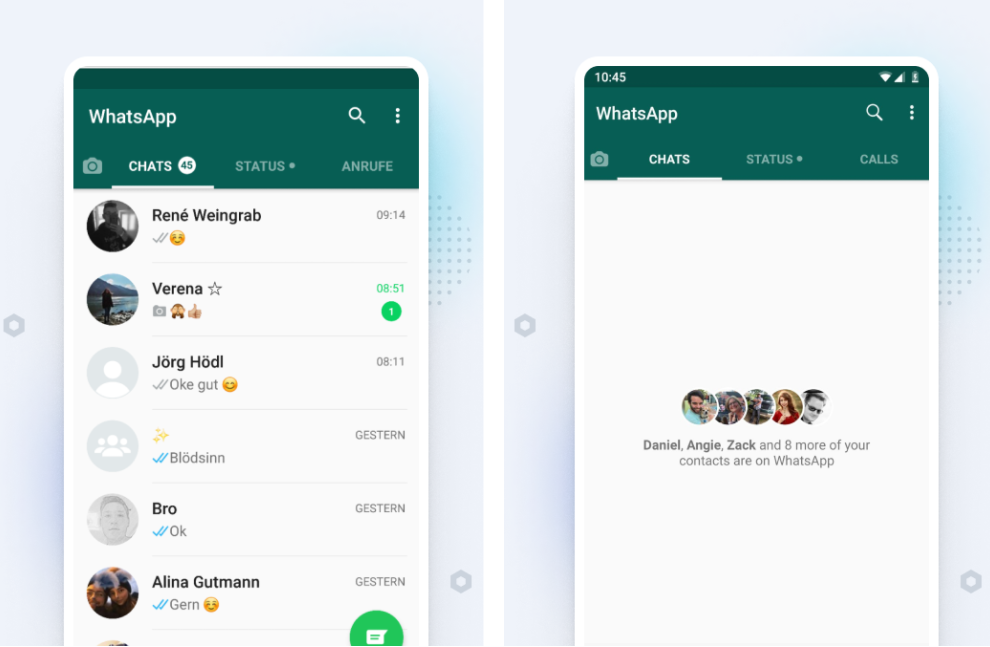
Whatsapp offers "low data" voice and video calls, enabling you to connect even with a poor network connection.

Whatsapp layout

You may already be using WhatsApp on your smartphone or tablet. In that case, there's no need to install another app (unlike Facebook).

WhatsApp even allows group video chatting so that you can play Bingo and Tambola. 

The only limitation of this app seems to be video quality. Sometimes you get grainy pictures during calls. But if you have good wifi, WhatsApp leads the game.

Playstore Link

Facebook Messenger

Don't confuse "Facebook Messenger" with Facebook. Both are different apps. To use the video chat feature, you will have to install the messenger app separately.

And even though it garnered much hate, it stays the #2 most popular video calling apps.

1.3 billion people use it every month.

Facebook Messenger provides feature-rich video communication straight through the messenger app.

Although, for most seniors, these extra features can be confusing. The messenger app is perfect if you like using "stickers" and "effects" like kids do these days.

Facebook is also facing lashes these days for lousy user privacy. And the app sometimes becomes slow for no apparent reason.

Playstore Link

Skype

Skype is the most popular video calling platform in the world. This Microsoft-owned communication software is one of the oldest in the market.

Skype app layout

Skype has an uncluttered design. To use Skype, all you need is an email address.

It is fairly simple to use, provides cheap VoIP calls, and has excellent customer support.

Elderly users with hearing impairments benefit from Skype's live subtitle feature.

Marshal, 84, living alone for 13 years, relied on Skype to stay connected with his grandchildren living on another continent. He loves Skype. And so do many millions of others.

Playstore Link

Oscar Senior

This is somewhat different from other apps in this list. Like Bthere, Oscar is also designed specifically for senior adults. 

It includes several features to keep the elderly in contact with their caretakers, family, and friends.

Oscar Senior app layout

You can call and text with the "Oscar Senior app" and keep track of important health or care data. The interface is pretty clean and uses big buttons and widgets.

Rated ★3.4 on Playstore, Oscar Senior provides different payment tiers to keep you in touch with your families.

Joshua Moreny used this app to connect with his quarantined mother.

Although the concept behind the app is splendid, some users suffer from the glitchy payment system this app employs.

Playstore Link

Google Duo

It is easier than most video calling apps but sometimes becomes a chore to perform.

Google Duo is free to use and is owned by Google. So you can expect excellent quality from this app.

google Duo app layout

It is easy to install and configure. If you have an Android mobile phone, you will log in automatically by just opening the app.

The fullscreen video looks intuitive, and you can enjoy the app even with a low internet connection.

The only downside of Duo is to have a Google account. But most of us already have a Google account, so it is just a matter of choice.

Playstore Link

Bunch

This one is for the most happening seniors out there, who don't mind a little bit of funk in their video calling app.

Bunch is easy to use and set up. And has many features no other app provides. For example, you can play puzzles with your grandchildren while staying on the call.

Bunch App Layout

More than ten on-call games, like Draw Party, finish the song, and Flappy Bird are available to you. Fun activities for friends and family.

This app is entertaining. We give it that.

You don't even need to call anyone to use this app. Once you open the app, your friends and family will get a notification about that. And any of them can join you. It is fun and worth a try.

Of course, you can also use this app as a regular video calling app like WhatsApp or Skype.

Playstore Link

Readers also asked:

Are video calling devices for the elderly easier than video calling on phones?

Video calling devices can be easier to use than apps because their hardware is solely designed for the elderly. Several smart devices even work without you knowing. But there are many other factors in play here. Devices like Amazon Echo can prove to be intuitive for some people while overwhelming for others.
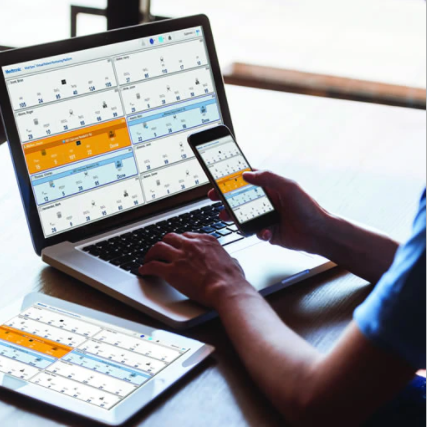
With most of these video calling applications, you can make regular phone calls as well.
At the end of the day, it is all about user experience. Suppose you're a senior adult with some technological background. In that case, you can go with slightly complicated apps like Zoom or Facebook Messenger.
Suppose you don't know whatever is going on with this world. In that case, you might benefit from a dedicated device or easier-to-use software like WhatsApp messenger or Bthere.

What is the best video calling device for somebody with dementia?

The Elderly deserves care. No amount of technology can replace a human touch. Dementia can be painful, but we can counter it with proper care. There are devices like CallGenie, Facebook Portal, and Amazon Echo Show developed for the elderly. Some apps are easy to install and use with minimal to no instructions whatsoever. Bthere is developing care apps with seniors welfare at its core.
Can I use an old tablet as a video calling device?

Android tablets can be customized to use as a dedicated video calling device. You can even install one in your living room and sign up for services such as Bthere. Click here to learn how to use Bthere in your old tablet device.

Conclusion

There is no one app better than the other. Unfortunately, not every company is developing its apps for the less tech-savvy demographics.

There are easy-to-use apps, with minor drawbacks – like WhatsApp. And feature-rich apps, relatively harder to use – like Zoom. Choose your style and play around. Video calling can ease communication between family members. And it is worth trying out an app or two.

And if you're still not sure which app clicks with you, try Bthere. It is as simple as it gets and provides all the good things you need from a Video chat application.

Innovative Apps For Senior Citizens

Technology is not easy for everyone. It can get daunting and confusing. While many of us are struggling with the gifts of old age, there are some ways we can use technology for the better.

We asked people what worked for them. And how technology aids their day-to-day life. Whether it is a simple medication reminder app or something as intricate as a routine tracker app.

And we came up with an ultimate guide that will solve most of your troubles - with your smartphone.

It is completely normal to feel overwhelmed by technology. We don't have to become tech-savvy to benefit from it.

We have curated a list of 12 helpful apps designed to make lives easy and more fun for seniors.

Let's get started!

Bthere.Care

A video calling app that actually cares about the elderly. Bthere understands the troubles that come with old age and tries to remedy that.

Bthere.care
Bthere.care app screenshots

An elegant and simple design with a bigger and better interface – Bthere is effortless to use.

You can stay in touch with your loved ones without buying an extra device for that. All you need is an internet connection.

It is easy to set up, has excellent yet simple-to-use features, and offers what most apps in this genre don't - a compassionate support service.

Steven, a 65 years old veteran, keeps in touch with his children with Bthere. It took him less than one minute to set up a second-hand tablet in his living room. Now he can visit his children anytime with a press of a button.

He loves living independently. Far away from the city, in a little cabin by the lake – just like he planned in his 40s.
He can even connect with his friends in a single call. Without breaking a sweat!

Learn more about Bthere app for seniors. It is free to download and does not include any advertisements.

Playstore Link

Google Fit / Apple Health

Whether you own an Android or an iPhone, you have one of these apps already installed.
Google Fit and Apple Health serve the same purpose.

They oversee your health issues, calculate your calories, and create workout regimes. These apps also aid in your sleep and personalize your fitness routine.

You can improve their functionality by using a smartwatch. Also featured in Safety Devices for the Elderlies, smartwatches measures your fitness data in real-time and synchronizes with your phone.

You don't have to use the watch, but have one on your wrists if you can.

Google Fit Playstore Link

Apple Health Appstore Link

Be My Eyes

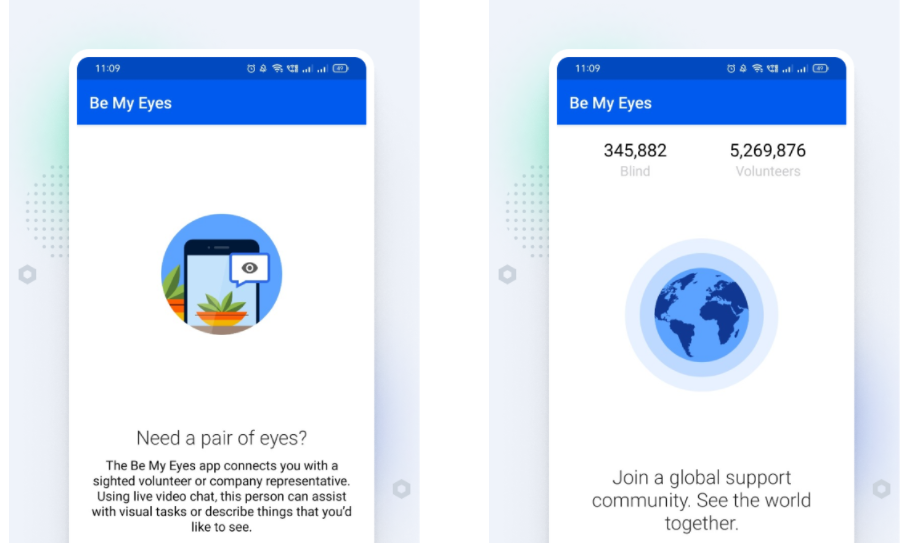
Be My Eyes is a simple and free tool that connects people with poor or no eyesight with people who want to help.

The app is straightforward to use. Whenever you find it hard to read something, ask for help. And a member will instantly connect to help you!

Be My Eyes

Through Be My Eyes, you can find many volunteers ready to lend a helping hand. Or, in this case, their sight.

It is a free app with support in various languages. And the community is supported by millions of volunteers - rated ★4.7 on Play Store.

For day-to-day activities, having a second set of eyes can really make a difference. Whether it is a public sign, recognizing a color, or simply trying to download something from the Internet. There are good hearts out there willing to help. And this app connects you to them.

Playstore Link

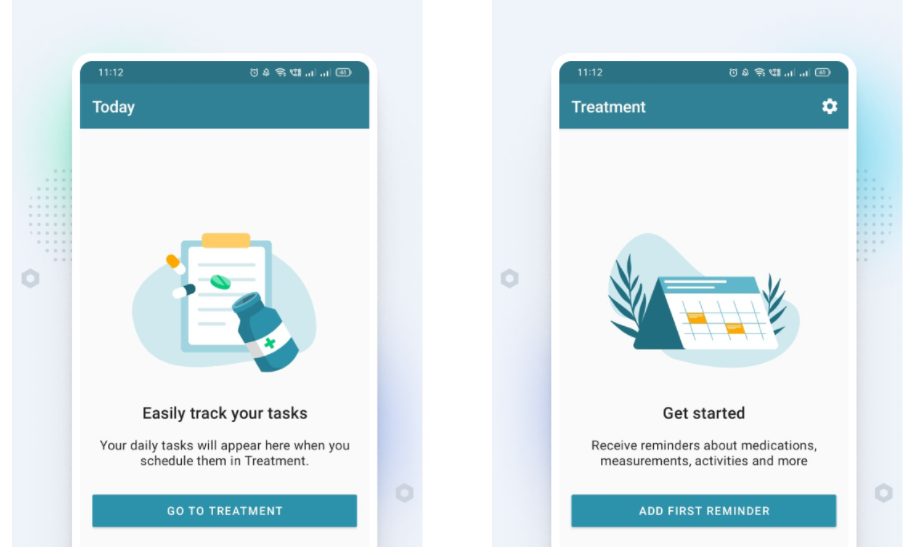
MyTherapy Pill Reminder

No one likes medicines. But we have to take them timely. Various pill reminder apps make it easy for us to remember taking those pills.

MyTherapy is more than a pill reminder. It is ad-free, has a simple interface, and helps track your mood and manage the stock of your medicines.

Mytherapy app

We advise everyone, regardless of their age, to install this app. Even the younger people in our team use this app to remember their supplements and medications.

You can log your medicines, add reminders, restock when needed, and don't have to skip anymore!

This app also provides personalized tips and measurements for diabetes, rheumatoid arthritis, anxiety, depression, and hypertension (High blood pressure).

You don't even have to register yourself to use this app.

Playstore Link

BaldPhone

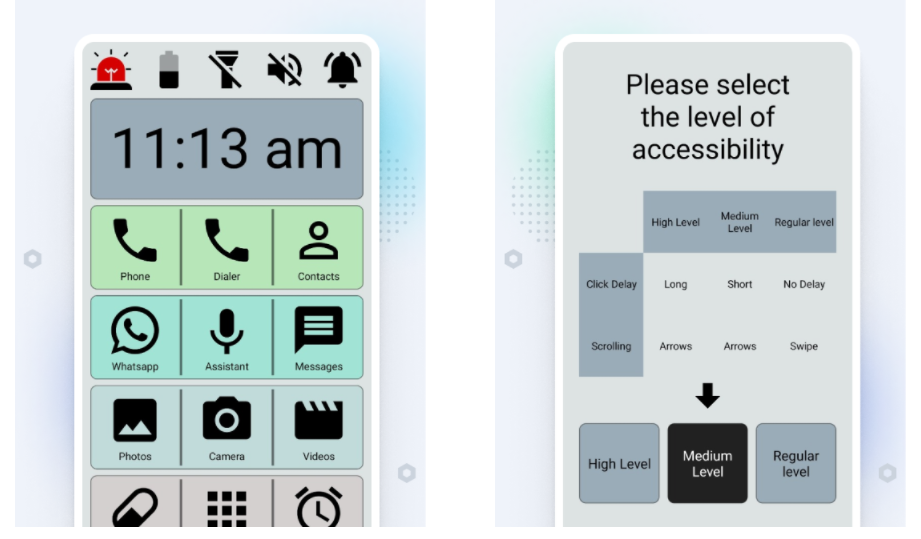
The "BaldPhone" provides a better, bigger, and bolder interface for older eyes. It is made exclusively for senior users and people with motor or visual impairments.

Baldphone

And it can help anyone who struggles to use mobile phones.

BaldPhone is completely free, with no ads -whatsoever.

This app also features a bigger onscreen keyboard for people who find it hard to type with their regular keyboards.

BaldPhone includes:

You can customize it to fit your preferences.

Playstore Link

Learning App For Seniors - Empowerji

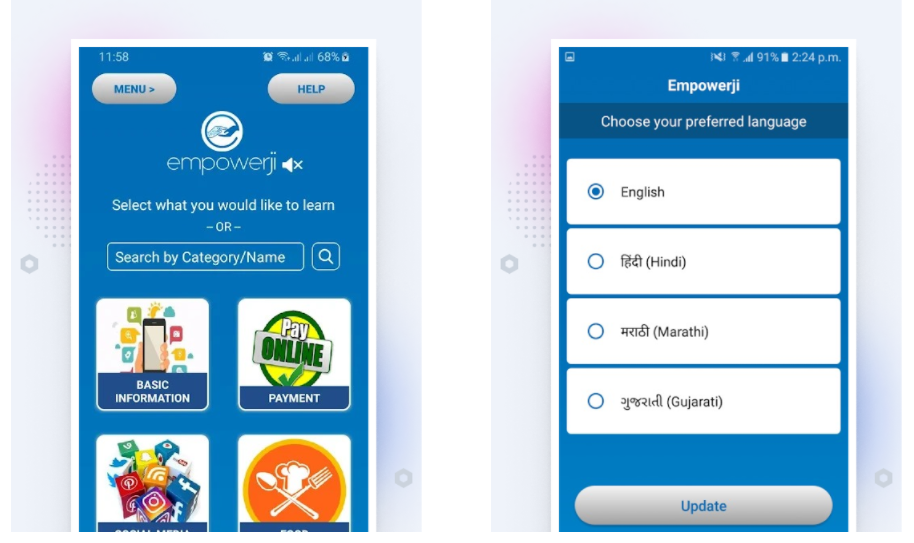
Technology. The age-old nemesis for most baby boomers. It's time you learn to control this beast with Empowerji.

Created to teach the non-tech-savvy kinds, you can empower yourself with just enough knowledge.

Empowerji app

Jacob, a grandfather of four rascals, used Empowerji to learn the ABCs of the Internet and his tablet device. He even helped us curate this list of innovative apps for oldies like him.

He learned at his own pace and surprised his grandchildren with newly acquired handiness in digital technology.

You can seek assistance from real people running this app and find many simple-to-follow videos.

Playstore Link

Carer - Healthcare for the elderly

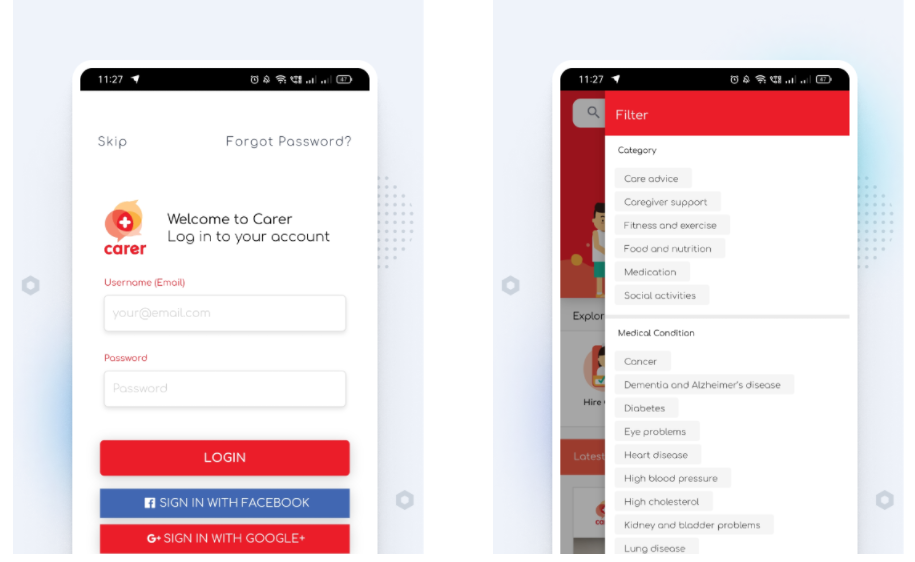
Carer is designed to help patients and caregivers. You can monitor and manage your medical appointments, find support from healthcare experts and hire qualified nurses and home care.

carer app

Dennis Chang uses Carer to keep track of his parents' medication and appointments. He likes the simplicity of hiring caregivers straight from the app.

Carer registers certified and vetted nurses from your locality and make it convenient to hire them.

Playstore Link

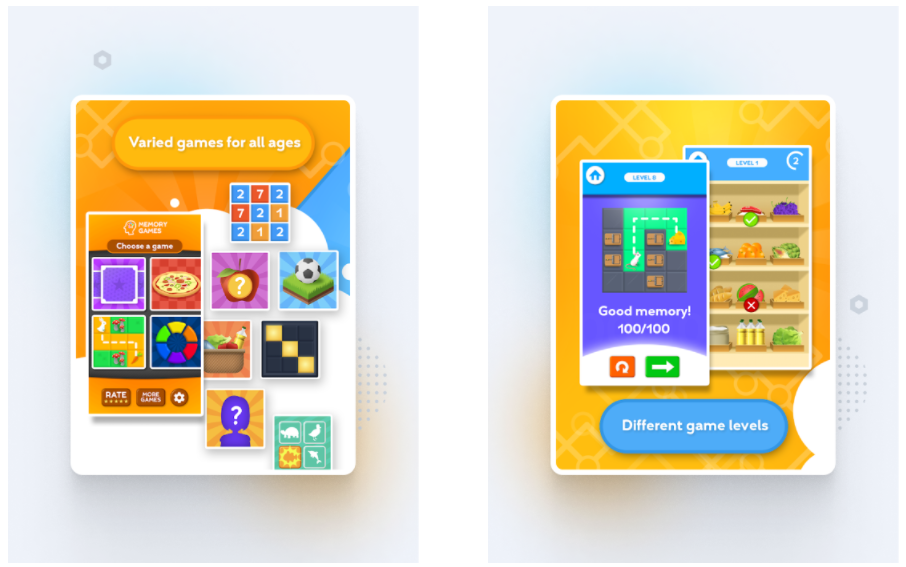
An innovative game designed specifically for baby boomers. With over 50 games and an easy interface, anyone can enjoy some good old brain exercises.

It combines brain stimulation with fun, and the result is quite enjoyable.

train your brain app

You can play:

Terri Schmidt, 63, felt a little rusty and wanted to improve his concentration and memory. Games like Train your brain help him keep his cognitive mind in check.

Games like these are great for killing time, improving memory and mental functions, and are pleasant to play.

Playstore Link

Billy - Senior Care

Living with dementia is not easy. Memory loss can be discouraging as well. But we should never lose our will to live. There are ways we can try to lead a happier life, regardless of our mental or physical condition.

There are other options for the elderly who cannot learn or remember to use a tablet or smartphone.

Billy – Senior Care

One of these options is Billy.

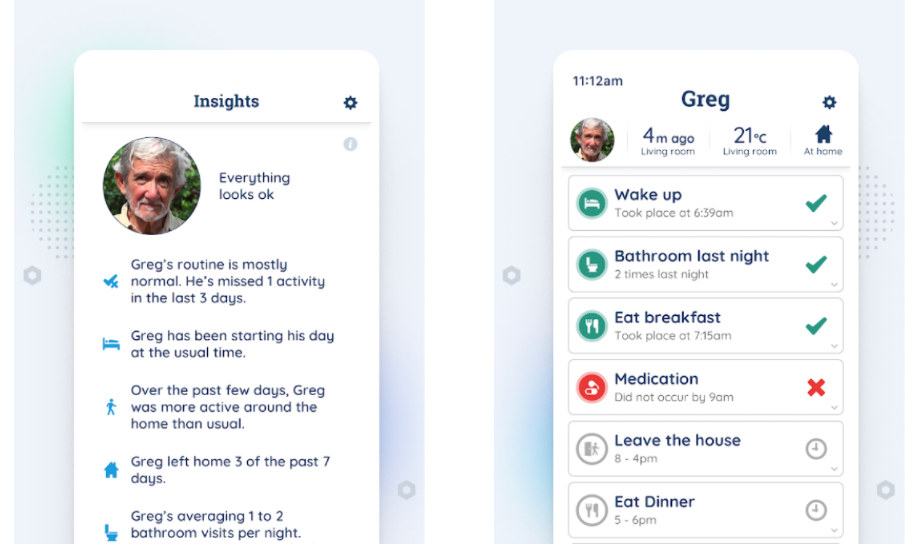
Billy uses non-intrusive sensors in your home and keeps family members updated with your well-being. 

This app, used alongside the smart-home sensors, monitors your daily activities without invading your privacy. And it keeps your loved ones as close as technology can get you today.

It is handy for elders living independently.

With the intelligent sensors, this app can give your family access to real-time information about your everyday life, such as:

Playstore Link

Oya: Alzheimer Games, Match Pairs

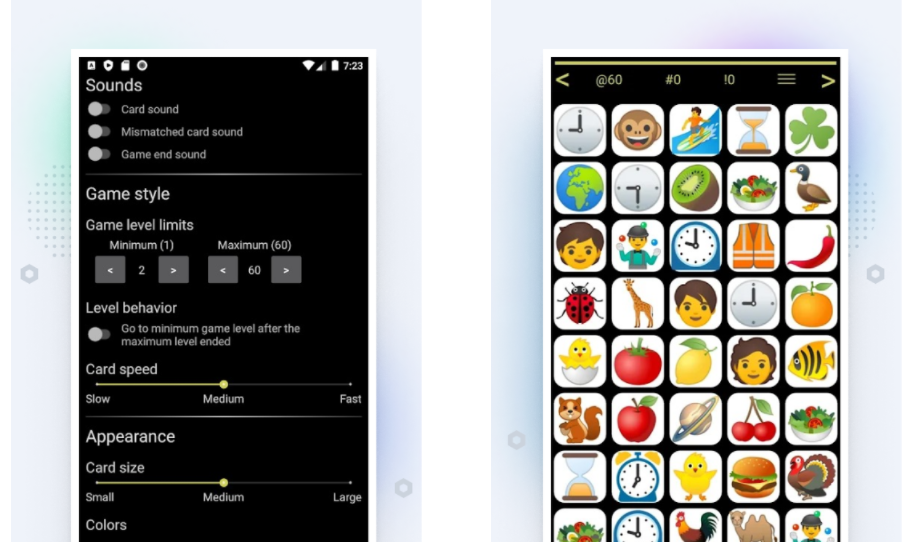
This game is as simple as it gets. No menu, no configurations, and no annoying sound effects.

We list this app as innovative simply because of its simplicity. Which unfortunately is a sight for sore eyes nowadays.

Oya: Alzheimer Games, Match Pairs

There are no advertisements and in-app purchases. All you have to do is solve the good old matching card puzzles. Easy for the heart and the mind.

Miah-Michelle Vance lost her short-term memory in a car crash. She finds this game a blessing. Pami Vanst said her mother (81) with Alzeheimer loves to play this game. She reaches as high as level 17. Josie Marquez's parent (87) plays this game all day!

This game will bring good memories from the past when computer games like these were a thing. And playing this game can slow down short-term memory loss.

Playstore Link

Elder easy

This app is designed to make lives easier for elders. This app provides you with a simplified touch interface. Big fonts and icons do many tasks which otherwise can get hard to do.

With this app, you can:

Playstore Link

MindMate

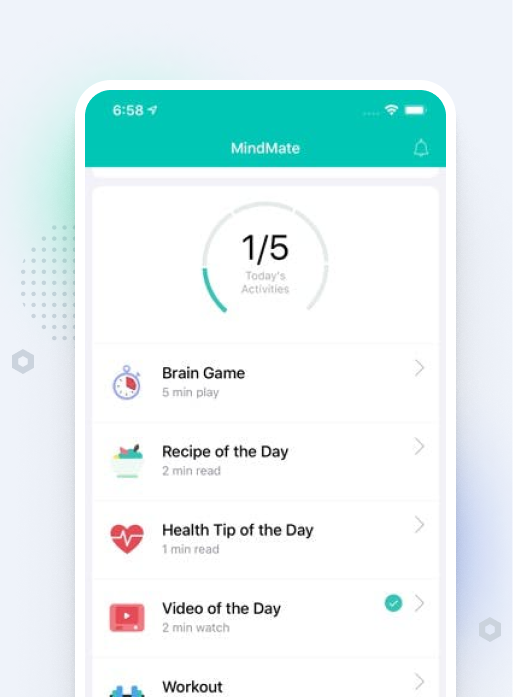
This app is specially designed to help older folks get fitter and improve their mental health. Mental exercises are as important as physical exercise. This app allows people with dementia and Alzheimer's to live healthier lives.

MindMate

You can download this app on your iPhone or iPad and even on your computer.

Rated ★4.8, Over a million people use this app to enjoy a healthy aging lifestyle.

Peter Wilson, a senior, has been really enjoying this app. He likes the fun aspect to improve overall mental health.

MindMate offers a lot to the plate. Some of its features include:

You can even record your personal data securely in the app for later recalling. This app is a keeper if you want to take it up a notch.

Download Link

Special Mentions

Easy Tablet Help for Seniors

This app focuses on helping older folks with their tablets. Reviewed as one of the favorite apps for seniors, Easy Tablet can teach you to use the basic functions of your tablet like a pro.

Savings Tracker

It is always a good idea to keep an eye on your budget and savings, no matter how old you are. Saving Tracker is a simple application that keeps track of your money for you.

Scrabble

A classic board game, now played by millions on their mobile devices. Scrabble encourages people to solve word problems and gives pure entertainment to players.

Panic Button

Handy in various situations and SOS, the "Panic Button" can help you in emergencies. It is loud. It is a must-have app on mobile devices.

Amazon Kindle

Amazon Kindle is one of the most downloaded phone app ever. Read your favorite books straight from your devices. Kindle enables its older readers to control the visibility of the text – making them bigger with a tap.

You can even enjoy various books in your favorite genre at a great discount. With a press of a button, you can enjoy Lord of the Rings or The Tragedy of Hamlet.

And if you don't like Amazon Kindle for some reason, you can try Apple Books.

Uber

Call a cab whenever you need one. Uber is simple to use, has a clean interface, and does not include any unnecessary app bloat.

NPR one

Listen to your favorite local radio, retro music, and podcasts from this widely popular app. Spice up your daily life with evergreen entertainment.

Skype

One of the oldest and most popular video and voice calling apps in the world. It is also one of the most downloaded mobile apps seniors use.

Magnifier + Flashlight

A simple app to magnify anything around you with your camera phone. And a flashlight to see through the dark. This app does nothing more than that. And for many people, that's just enough.

Readers also asked:

What are good activities for the elderly?

Physical and mental exercises help people of any age. Our body houses weaker bones and aged flesh in old age. Walking in good breezy weather can refresh your body and soul. Playing brain games like chess, sudoku, or crossword can help the brain to stimulate oxygen properly.
You can even use put that smartphone in your pocket for better use. There are many apps and inbuilt features there to help you achieve better health and fitness.

What are the best apps for older people?

There are some companies dedicated to providing solutions for old people. Bthere is one of those companies, working days in and out to build better and more secure communication between physically distant families.
You can connect with your offspring and help them sleep better at night.

How can I make my iPhone easier for seniors?

1.Remove the apps you don't need.
2.Install the mentioned app and keep the ones you find helpful.
3.Use the contacts widget to keep your loved ones only a tap away.
4.Install video call apps like Bthere and WhatsApp.
5.Use accessibility settings to personalize your iPhone better.
6.Keep your dock and home screen decluttered.
7.Use a loud ringtone.

What are the best health apps?

1.Apple Health
2.Google Fit
3.MindMate
4.MyTherapy Pill Reminder
5.Carer - Healthcare for the elderly

We hope you enjoyed our list of innovative apps for seniors. While technology can seem intimidating at first, these apps are a breeze for seniors. For all the old guns out there, you can enjoy these apps with your entire family.

Innovative Safety Devices for Seniors

We live in the safest era since known history, yet accidents happen to the best of us. And as we age, it becomes easy to become forgetful and even prone to those accidents.
But thanks to the technology, there are many safety measures available. Whether it's the stove knob lock for the forgetful golden-agers or the intelligent cane that improves the way one uses the walking aid.
In any case, personal safety should be considered a fundamental right instead of a privilege.
Today we will talk about some of the best decisions you can make to aid older adults, whether it is you or someone you care about.

7 Safety Devices for the elderly

There are various inventions out there to ensure the safety of the golden-agers. This list includes the ones from which you can get the most benefits. For smart caregivers, these are the smart choices. Remember, both physical and mental health care is essential for everyone, and the need increases as old age draws near.

Automatic Pill Dispensor

It is so easy to forget to take pills. Thanks to devices like these, no one needs to tire their brain cells unnecessarily.

Automatic Pill Dispensor

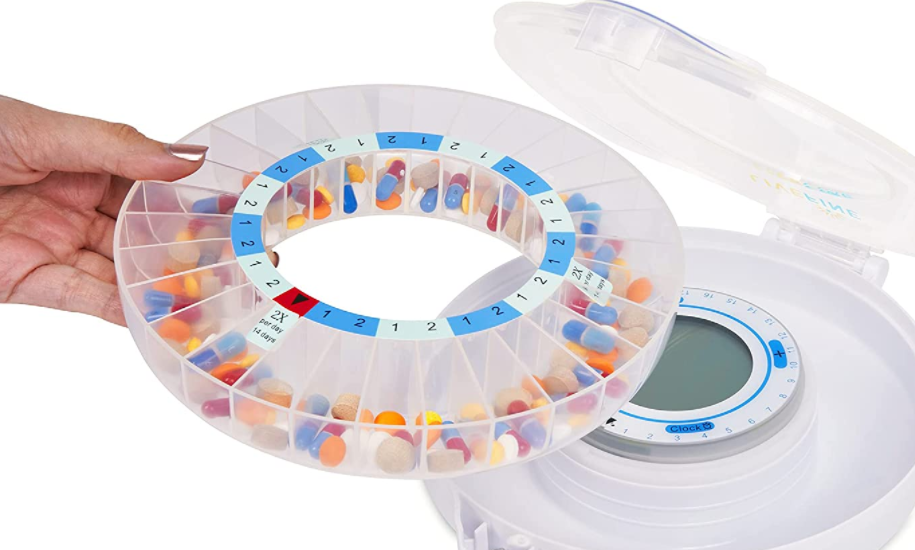
Priced at around $150, LiveFine's automatic pill dispenser keeps pills organized for up to 28 days. It is portable and easy to look at. You can store up to 9 doses of up to 12 pills per day.
There are many better or worse products available in the market. But this one takes the cake when we compare the price and application.
You can monitor the pills through a phone app available for both iPhone and Android.
It's a good addition if you are on medication.
This one is even cheaper (with less storage).
Suppose you're looking for something simpler and more affordable (or free). In that case, you can install a mobile app like MyTherapy Pill Reminder. This app can keep track of hourly medication as well.
Find this app alongside 12 helpful apps for seniors designed to keep them happy and satisfied (#22).
If you need help with medication reminders, we just have the right guide for you.

Monitoring and communication application

There are digital cameras and other devices to help monitor the well-being of grandparents. You can set up communication devices as well (check the complete list here).
And while you can spend a few hundred bucks on setting up these devices, there are better alternatives available, with a fraction of the cost you'd pay otherwise.
Bthere is not a safety device by standard definition. Perhaps it's something more than that.

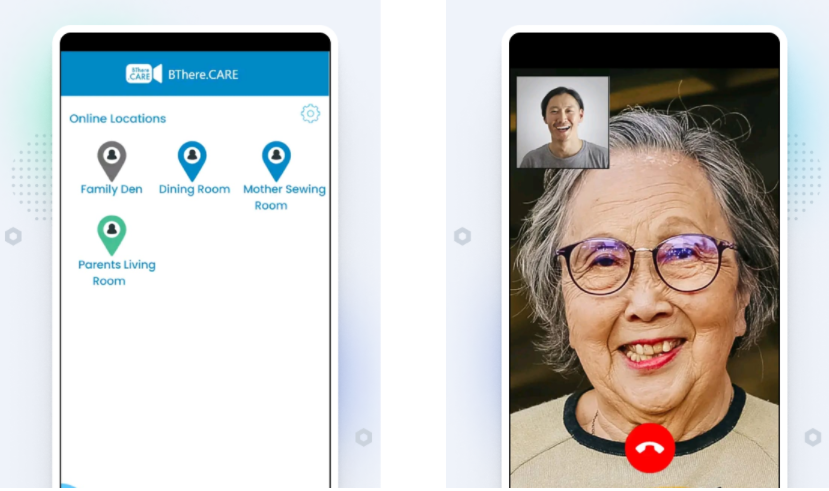
Bthere.care app

Bthere utilizes the device you already have (your smartphone or tablet) and converts that into high-quality monitoring and video calling device. It makes elder parents happy and feel involved.
You do not need to spend any penny buying another device. Bthere is revolutionary, to say the least. It is the cutting-edge technology of 2021 combined with the empathy and emotions every elderly deserves.

Cordless Fall detector Mat

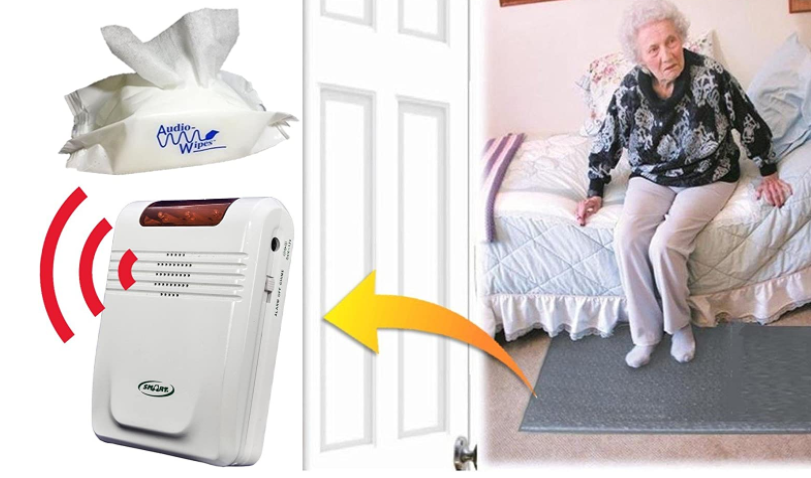
It detects the falls and alerts the caregiver living in the vicinity. Perfect for those suffering from Dementia, Alzheimer's, or even sleepwalking.

Cordless Fall detector Mat

What makes this product a best-seller on Amazon though, is the ease of use. The activity sensors (pressure sensors) embedded on the mat are impressive.
Priced at $200, this cordless fall detection sensor can save the life of your loved ones.
Once it detects the fall, the fall detector mat alert caregivers who are living in the vicinity. It helps them provide emergency aid as soon as possible.

Apple watch

Thanks to recent technological developments, devices like the Apple watch have made many other devices obsolete.
For example, you do not need to spend another penny on separate BPM monitors, pedometers, or even fall detectors.

Apple Watch

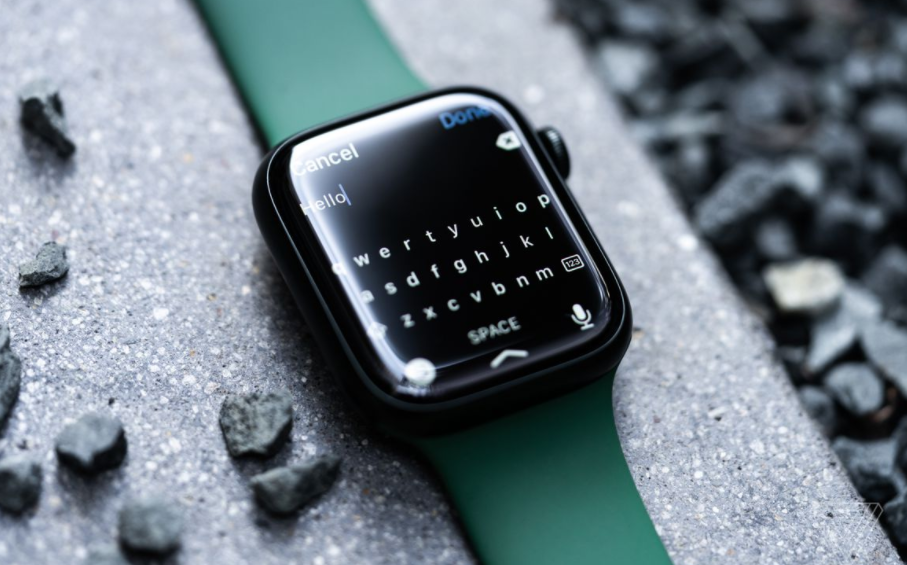
That's right. Apple Watch can detect if its use has fallen or is about to fall. Oh, sweet technology!
Apple watch can also alert you if your heartbeats are irregular (too fast or too slow). It provides emergency services straight from your wrists!
Series 7 of Apple Watch costs between $400-$500, depending on the model.
You can even use the watch to remind you of important things and keep track of daily tasks. Old were the times when one could fascinate a wristwatch with a calculator.
There are cheaper smartwatches available, but not all provide safety features as significant as Apple watches. Samsung Gear ($115) and Garmin watches ($200) come next in line if you're looking to spend less on a watch.

Fingerprint door lock

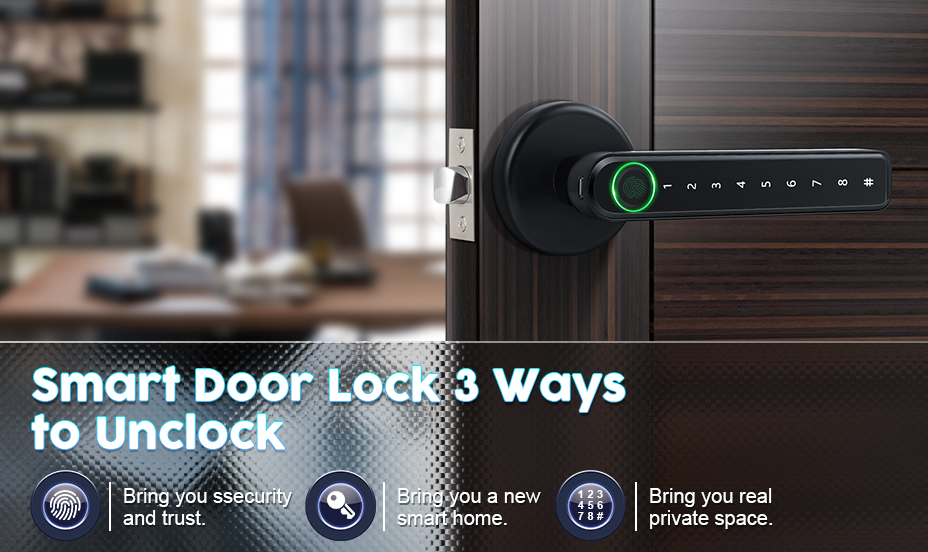
This is one of our favorite products in this segment. For elderlies living alone, this is a must-buy product with no second thoughts. It ensures increased safety, faster locking or unlocking of doors, and convenience – all at a price of around $80.

Smartlock

Old people are forgetful. They misplace their wallets and keys all the time. A fingerprint door lock ensures they are not locked out of their house.
No need to change locks in case you or your loved ones lose their keys! That's one way to avoid unnecessary expenses.


Smoke detector (Carbon Monoxide)

For seniors living alone, it is vital to keep their place warm and habitable. But sometimes accidents happen. Whether it's the faulty dryer vent or the fireplace.

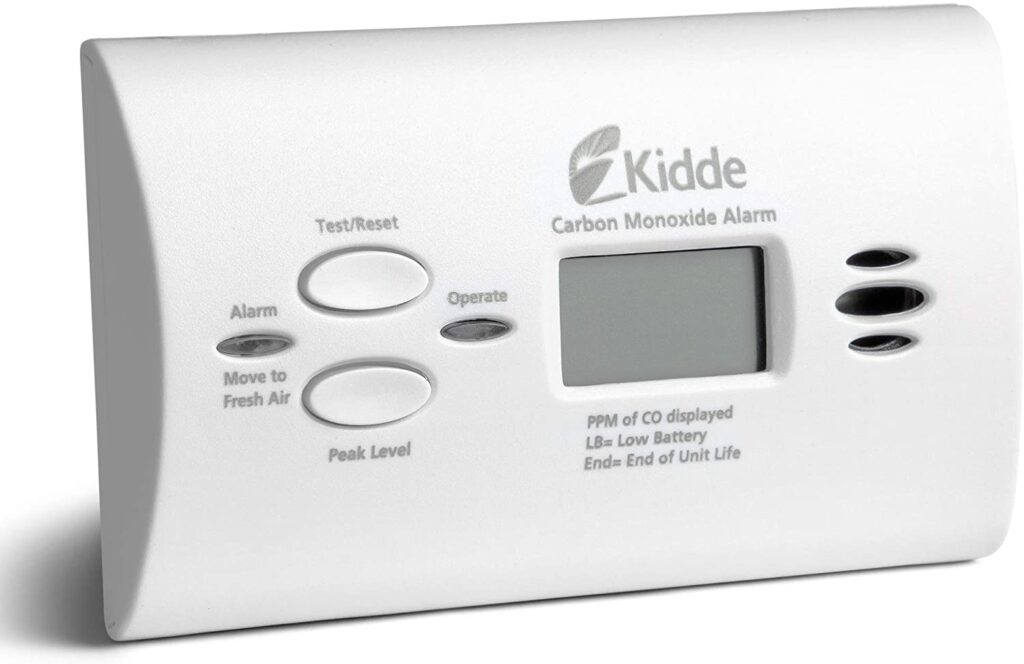
Carbon Monoxide Detector

Carbon Monoxide is known as the silent killer. It can be produced by any fuel-burning device. Once you have a smoke detector like the Kidde Carbon Monoxide Detector, it becomes easy to sleep at night.
Carbon Monoxide is terrible and deadly. Spending $20 on it can never be a wrong choice.


Home security system

Home security systems like Simplisafe are easy to set up, provide superior safety and peace of mind.
Among many of its competitors, we find the Simplisafe security system the easiest to use. It's a complete kit under $350 which includes 12 pieces of wireless security devices alongside a high definition camera that can be installed at the doorway.

You will also get the sensors in the box, which can alert you of several emergencies straight on your mobile device.
Whether it is smoke coming from the kitchen, or a gas leak, high-end security systems are essential, especially for seniors living alone.
The motion sensors in this particular device can sense motion within 30 feet. The camera has a 90-degrees field of vision, and you can get additional sensors on request.
"The system was easy to install and is a far greater value than the commercial stuff you pay goo-gobs of money to have installed." - Betsy (Amazon user)
For any senior living without assistance, installing a security setup in their place can significantly improve their personal well-being.

Make sure to check out the best Home monitoring systems for elders. (#28)

Honorable Mentions

Medical Alert Device

A $100 necklace with built-in LTE that provides two-way communication (like a cellular phone).
It has GPS to track location. And with a robust battery backup, Black Decker's goVia is one of the best gadgets for the elderly in the market.

Although to keep using the device, you'll need to shed another $35 every month.

It has automatic fall detection as well.
Stand-alone toilet safety rails
The adjustable railings for the toilet can help the elderly feel dignified taking a loo. Bidget installation helps too.

Emergency Call Button

This little device ($20) is among the best Personal emergency response devices. With a click, it can alert the caregiver.
During the day, you can hang the device around your neck. During sleep time, simply put it on your bedside table.
Loud Alarm Clock
This is not a safety device, but an alarm clock can become helpful in some emergencies.

Safety Alarm

$10 electric whistle is the cheapest item on the list. A small button produces a loud sound once clicked.
Great for indoors when your caregiver might not hear you. And it can be used outdoors to draw attention in case of an impending emergency.

People also asked

What are assistive devices for the elderly?

Assistive devices refer to any device that makes it possible for someone with disabilities to live an independent and fulfilling life. Hearing aids, bed rails, and balancing canes are some of the examples.

What items do elderly people need?

Like anyone else, older people require care and attention. There are various products designed to make their lives easier. Such as:
Communication device
Safety devices
Entertainment devices
Assistive or accessibility devices

How can we keep the elderly at home safe?

We can keep the elderly safe by installing several safety devices around them, such as a fall detector or security cameras. We can senior-proof the home, like installing railings on the bed and stairs. Make sure the house is well lit, the floors are dry, and mats are skid-proof.

How can I monitor my grandparents?

By installing a dedicated monitoring device, we can make sure our grandparents are safe and sound. Various devices and services (Bthere) allow old people to enjoy their privacy while staying in touch with their remote loved ones.

What is considered adaptive equipment?

Adaptive equipment makes the lives of elderlies easier. A few examples are:
Wheelchairs.
Canes.
Crutches.
Walkers or walking frames.
Walking stick

How can I reduce the risk of a fall in the bathroom?

We can reduce the risk of falling by installing fall detectors and sensors in bathrooms. These sensors react to even slight imbalance and can alert the caregiver right away. If you have an apple watch, there is an inbuilt feature that alerts the user if they risk falling.
One can install railings around the bathtub, toilet, and walls as well. And shower chairs can help too.
Several senior safety devices can reduce the falling risk.

Conclusion

Safety devices are great to have, but nothing can replace personal care. And while the senior safety devices we mentioned can improve physical safety, a caring hand is crucial for the mental health of your beloved ones.

Bthere is a video calling app that actually cares about the elderly. Old age brings its own challenges, and Bthere is extending a helping hand. 

You can stay in touch with your loved ones without buying an extra device for that. All you need is an internet connection. Click here to know more about Bthere.

Our final piece of advice is to let people around you know how you feel. If you're happy– celebrate. If you are not, talk to others.

And make sure you are a regular to your favorite doctor. Visit frequently, get a thorough checkup from time to time. Don't wait to get sick to visit the clinic. A healthy life should not be limited to young people. Life is precious, whether it's new or old.

Home Monitoring System for Elderly Care

You are worried about the well-being of your parents or grandparents. Would you like a simple solution that is elder-friendly? Today we will talk about that.

With old age comes health problems. Most of them require the assistance of some sort. And while most seniors are suffering from these health problems, accidental falls, and mental issues, the will to live tends to diminish.

And while most golden-agers prefer to live on their own, we don't have to worry too much as there are solutions available to monitor their health and well-being. And we will talk about the six home monitoring products and solutions that will ensure the safety and well-being of the elderly.

When we talk about monitoring systems, we are looking at devices or services that help with:

Home Monitoring Systems for the elderly

A variety of data is collected by elderly monitoring systems, including movement, temperature, behavioral patterns, and sleep patterns.

Caregivers and medical professionals can use this information to learn more about the health and daily life of a senior.

The use of a medical alert device depends on the regulations of the senior living community. They often include emergency buttons or use sensors to detect emergencies such as fires or falls.

Depending on the system used, calls can be made directly or indirectly to the police or caregiver.

BThere.care

Hailed as an incredible solution to stay in touch with remotely located loved ones, Bthere helps monitor and communicate with your parents or grandparents.

Bthere.care

According to a study, 43% of senior adults feel lonely. This can adversely affect their physical and mental health. Everyone needs love and care, and no one should ever be alone.

Initially designed to help people connect in a difficult time, Bthere is more than just a video calling app. You can set up Bthere to monitor your loved ones and get in touch with them anytime you want.

It is effortless to use, blocks out all the advertisements, and its auto-answer feature provides peace of mind.

The Bthere stands out tall with its unique video calling capabilities. It features loud and clear audio output – designed specifically for the oldies.

And with a clean user interface, Bthere is simple enough for anyone to use. All you have to do is tap a couple of times, and you're connected to your loved ones.

To use Bthere, one doesn't need to be familiar with the technology. It is as simple as pressing a button.

HelloBaby's Baby Monitor for Seniors

People install baby monitors to track their baby's movement. But we can install the device to track our seniors too.

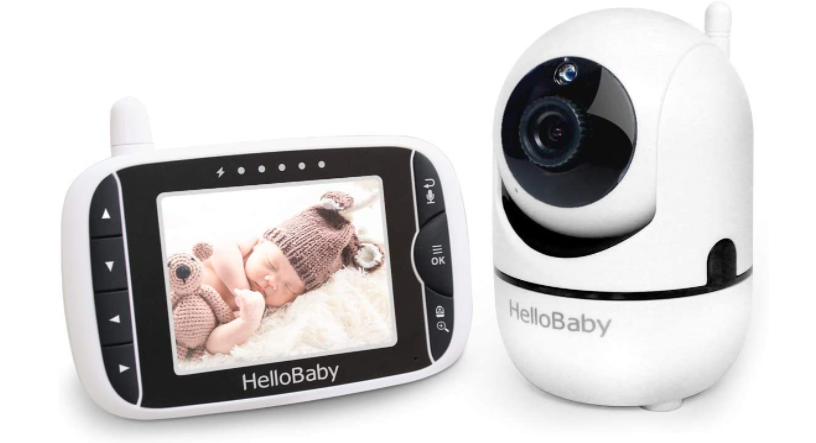
HelloBaby monitor for senior

Available on Amazon at $89.99, HelloBaby's baby monitor is excellent if you want to keep an eye and ears on your loved ones. Seniors suffering from Dementia and sleepwalking can be monitored on this device.

The feature list for this gadget includes:

This gadget is rated ★4.5 by around 14,000 buyers on Amazon. It is easy to set up and use.

"I am a caretaker and am using the camera to watch a senior citizen because he is bedridden and recovering from surgery. I found the camera easy to set up. The picture and sound are very good. I especially like being able to move the camera around to watch movement. An excellent product." - Susan, Amazon Review

TrueSense

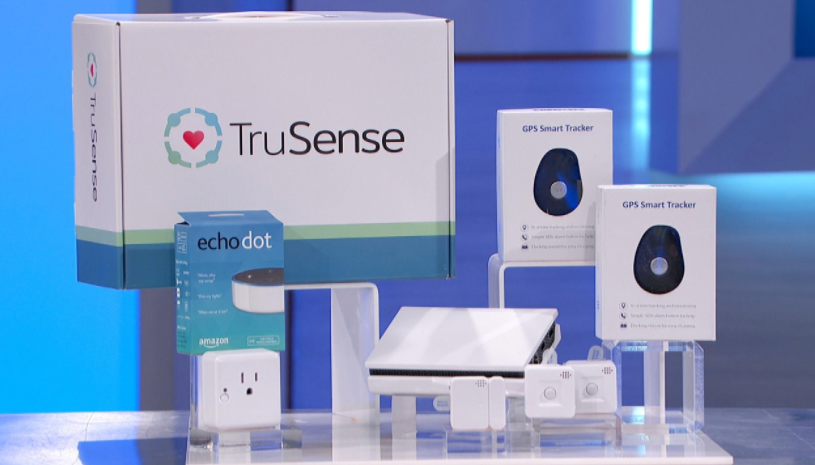
TrueSense uses a set of connected sensors and provides passive security monitoring for seniors. You can use the TrusSense dashboard to track your parents' activities from anywhere in the world.

TruSense

The sensors will notify you of alerts if the elderly are:

It also notifies if it detects:

You can purchase the TruSense starter kit for $299. The system usually takes one hour to set up and use. And if you need additional sensors for a bigger house, you can purchase those additionally.

Stack.care

Most seniors prefer to live on their own. And it's not easy to monitor their well-being without violating their privacy.

Stackcare is an AI-powered system that monitors the well-being of your parents or grandparents with discretely installed motion sensors and sends notifications on your mobile phone routinely.

You do not need to ask your old man or lady to wear any smartwatch or pendant.

It is easy to set up and requires no other tools. Just an app and sensors. Stackcare allows independence to parents and peace of mind to their children.

What can you track and monitor:

Stackcare is available with a monthly or yearly subscription. You can own the set-up at $600 to $800 every year.

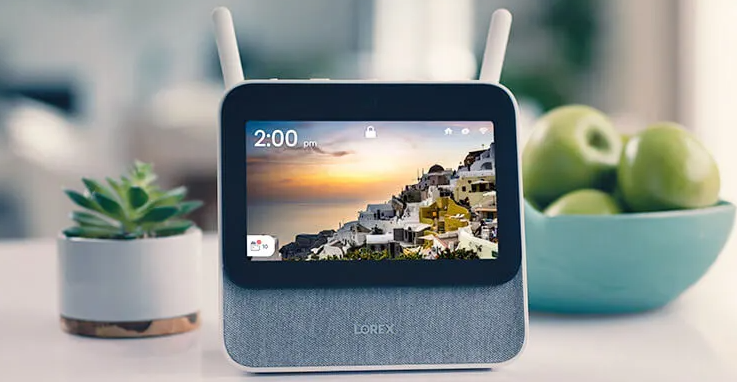
Lorex Elderly Care

Lorex Elderly Care Solutions monitors parents remotely using a wi-fi security camera system.

Lorex Elderly Care

Using your smartphone, you can check and communicate with your loved ones using the camera's microphone and speaker.

Compatible with smart homes, it can be operated without hands, and it offers around-the-clock monitoring.

The following features are also available:

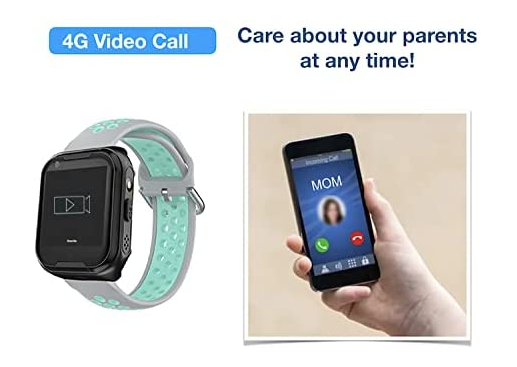
Osmile's GPS Watch (Tracking)

This watch includes Health Management Functions for Dementia and Alzheimer's disease.

Osmile's GPS Watch

It includes incredible features such as:

It's almost everything one can need to monitor their loved ones, packaged in a watch.

The language of the watch can be changed to many European and Asian languages.

The best part about this watch is the 4G SIM support. Yes, you can call your parent straight to their smartwatch. And the SOS button modeled in the watch can alert you and any other caregiver nearby if your aide needs emergency help.

Priced at around $250, Osmile is a Taiwan-based company. Although we have not tried the product ourselves, it seems like a wonderful addition to this list.

People also asked

How can I monitor my elderly parents at home?

There are numerous devices available for the task. You can install various sensors or cameras to monitor your elderly parent at home. Or gift them a smartwatch that can track their health and other activities. Check out our curated list of devices and services that can help monitor the elderly without affecting their quality of life.

How can I monitor my parents' health?

Smartwatches are trending to track and synchronize health data. And while there are other tools (such as a smart-ring or smart-pendant), – the idea is similar.
To monitor your parents' health, you can install and set up several sensors throughout your home. It is way easier than it sounds.

How can I help my elderly parent remotely?

If you're not physically present to your elderly parent, be there with them through technology. Systems such as Bthere can help you achieve that. It is an intelligent AI-powered application (not a device) that can keep you connected with your loved ones.

What is a remote monitoring system?

A remote monitoring system helps you watch your child, pets, family, or old parents through a distance.
Many remote monitoring systems work through motion sensors. And additional sensors can be purchased to increase efficiency or range.

What is the best home security system for the elderly?

We have curated a list of the best safety devices and home security systems for the elderly. Click here to find the best device that will work for you.

Are elderly monitoring services expensive?

Some of the elderly monitoring systems are expensive, like Stackcare. But not all of them are. TruSense is actually a cost-effective solution compared to Stackcare. Bthere is another solution that combines the power of technology and empathy in their services at a very nominal price.

Do elderly home monitoring services require wi-fi?

Most of them require a consistent Internet connection. Whether it is wi-fi or radio signals (SIM support).

Are home monitoring services helpful for people with Dementia?

Home monitoring systems are not only helpful but essential in most cases for people with Dementia and Alzheimers. These systems ensure their well-being and safety by involving technology and real people.

Conclusion

Many devices and services can help you monitor your loved ones or the people who require special care.

Services like Bthere combines AI-powered technology with the care and love to create a flawless connection to seniors with their caregivers – without hurting their privacy or dignity.

But sometimes, for some people, technology is not the best solution. Nothing can ever replace a personal carer.
If none of the solutions mentioned above matches your case, hire a personal caregiver or a nurse for your parent or grandparents.

And the idea of being watched 24x7 can hurt the sentiments of the care receiver. We believe a caregiver with good energy is the best home monitoring solution for your senior.

Best Tablet for Senior Citizens

Technology can bring you closer to your loved ones. Even if you are miles apart. And whether you are looking to buy a tablet for yourself or someone else, go through this guide and find the ideal solution for your specific needs.

You don’t have to feel left out because of any physical challenges, like poor vision or hearing or arthritis, or even lack of technological knowledge. Not all of us are tech geniuses. But we can still enjoy technology at its best to connect and communicate.

There are tons of tablets out there. And you can customize them to your needs.
You can enjoy the laughter of your grandkids or an evening get-together with your families – straight from your tablet!

Today we will talk about the five tablets that impressed our editorial team and a few more that could have done it better. And we will help you choose the one that works best for your particular needs. So let’s get started!

How to choose a tablet for the seniors?

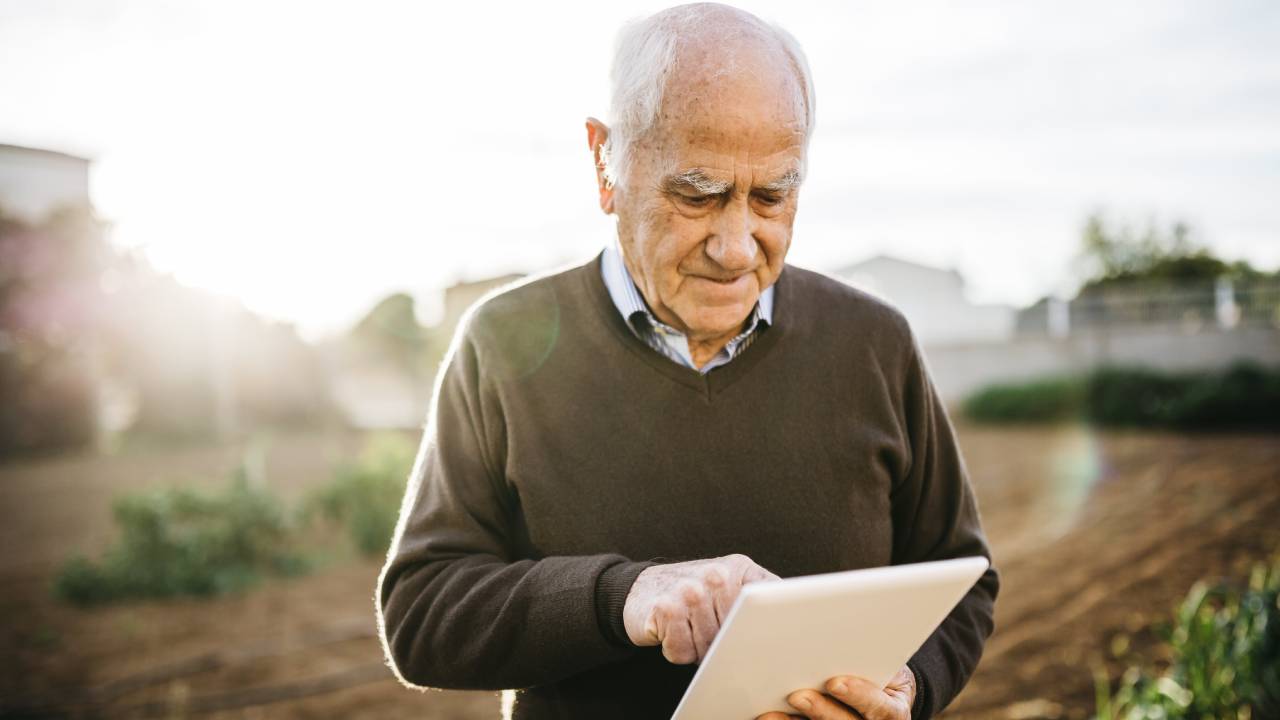
 senior-man-using-tablet

When choosing a tablet, think about your needs. Are you buying it for yourself or your parents?
Are you looking at a particular accessibility feature?

And if you are looking to buy something less costly than others yet better in quality. Or maybe the tablet you want should be easier to operate and handle. Make up your mind about your needs.

Standard Features in a tablet

When buying a new tablet, you should be aware of basic terminologies to make the best decision. We will talk about the most important ones here.

Tablet Memory / RAM
The higher the memory, the easier it is to use the tablet. In 2021, good tablets will have RAM of 8GB or more. But for most general use, 4GB of RAM is sufficient. But if you’re buying the tablet for a gamer grandma, the RAM must be higher.
Tablet Storage Memory is the ability to store pictures and videos. Higher memory can store more stuff into them. But most brands provide a cloud-storage system, making storage memory insignificant.

Battery Life
The higher the battery life, the less you need to plug the charger into your device. Some brands provide more battery life than others. And depending on your needs, you might need a solid battery pack fitted in your tablet.

Screen size
Tablets vary in size. Some are as small as a large smartphone. While others are as big as a small laptop.
And while bigger screen tablets are great to look at, they offer less battery life compared to their smaller versions.
Large tablets also weigh more.

If you think you can handle a pound of weight, you should go with a large tablet such as Apple iPad Pro or Samsung Galaxy S7 Plus.

Brand / Operating System
“Operating system” is the software that makes your tablet work. There are two major operating systems in the market. Android and iOs.
Most tablets run on Android, while Apple runs solely on iOs.

IOS is easy to look at, offers a minimal design, and is easier to use (according to many users) but comes at a steep price.

Major Tablet brands are Apple, Samsung, Lenovo, Amazon, and Microsoft.

Basis of our verdict
With the help of this guide, you can choose the perfect tablet for a senior. The tablet must be robust, have a decent battery backup, and should be easy to use and function.

5 Amazing tablets for seniors

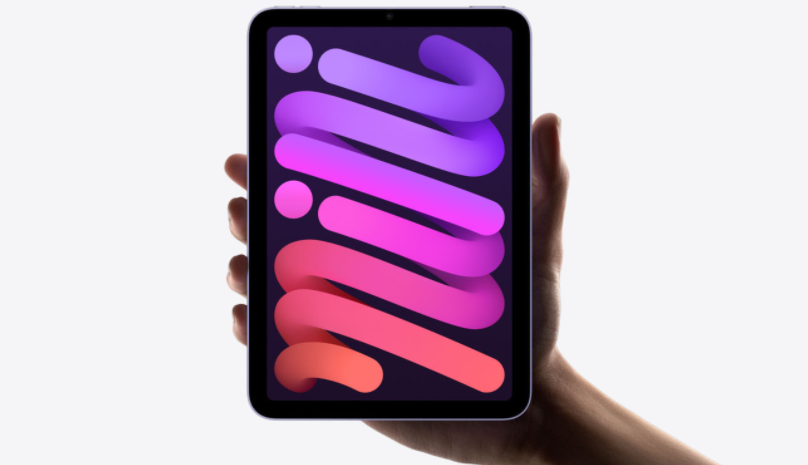
Apple iPad Mini

The most loved tablet for a reason. There are several models to choose from. The more expensive iPads have higher storage, better display quality (retina display), and more features compared to their entry-level tablet.

The Apple iPad Mini, however, is a popular choice for the elderly. It is small enough to fit in your hands, big enough to enjoy family pictures and video calls. It is easy to hold and carry. And has 10 hours of battery life alongside a decent camera for selfies.

With the iPad comes Facetime. Everyone loves to Facetime their relatives and friends in their free time.
You can install and play games from the AppStore as well.

And with Apple’s iCloud, you can store pictures, audio, and videos to your account without worrying about storage. Apple one subscriptions cost around $15 per month. You can purchase an Apple iPad Mini for $699 on Amazon.

Pros:

Cons:

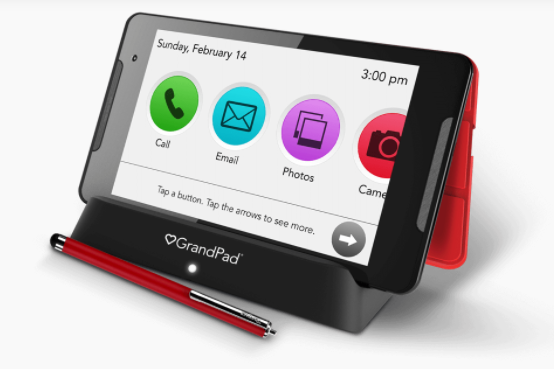
The GrandPad

Advertised as a tablet for seniors, GrandPad has won the hearts of many. It has just enough features a grandparent will ever need and still provide a very easy-to-use interface.

With a battery backup of one to three days, depending on the usage, this device is robust, sturdy and the rubbery surface makes it very easy to hold and carry.

The display allows people with dry fingers to touch and interact easily.

The Camera (8MP/5MP) is enough for clear picture communication, as long as you have access to good wi-fi. The tablet includes its own cellular plan that you need to subscribe to.

Pros:

Cons:

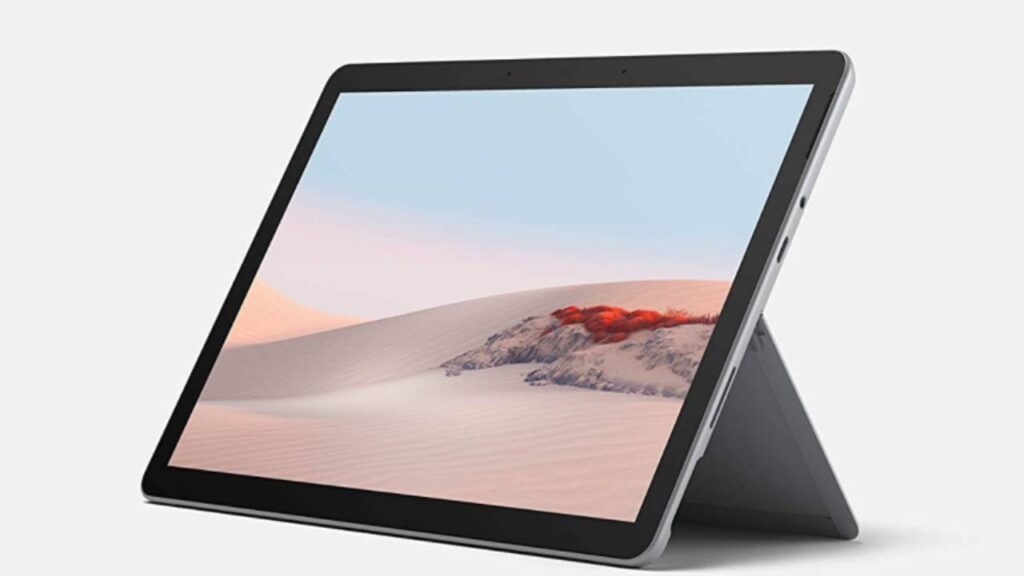
Microsoft Surface Go

This one is neither an Android nor iOS. Developed on Windows Operating System, Surface Pro is a great tablet to buy.
It’s a tablet with a familiar look and feels for many seniors who used Windows as software on their computers
Surface Go is an affordable device by Microsoft.
You can even doodle on its screen with a Surface Pen.

The display on this tablet does not pose any eye strain for aging eyes, and the excellent speakers make watching videos a pleasure.

The built-in webcams can use Windows Hello facial recognition to log into Windows, making it easier for seniors to avoid typing passwords repeatedly.
The battery backup is decent as well. You can own a Microsoft Surface Go for $475.

microsoft surface go tablet

Pros:

Con:

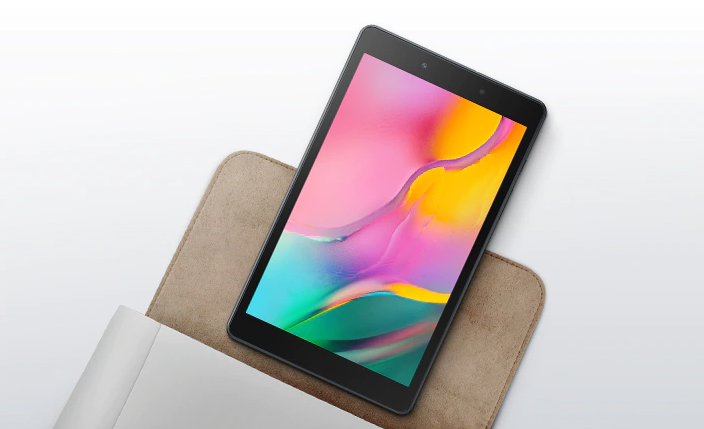
Samsung Galaxy Tab A

Considered the best android tablet for seniors by many. The device is solid and sturdy and has a fantastic camera quality.
Samsung Galaxy Tab A is a great budget device with a smaller screen size (8”).


The device is super affordable, and you can own one for only $164.
You will also get a free year of YouTube Red (only available in the US).

samsung tablet

Pros:

Cons:

Any Tab Ever

What if you buy a cheap tablet, let’s say a Venturer’s 7-inch Voyager for $50, and convert it into a usable and excellent tablet for yourself or your grandparent?
Yes, you can do that!

There are many apps available on PlayStore that can make the tablet easy to use and a great communication tool for the elderly. Isn’t that the biggest reason for buying the tablet in the first place?

We have curated a list of 12 amazing innovative applications (#22) that are easy to install, set up, and use. And they can make the tablet using experience a breeze for any senior citizen.

One of such apps is Bthere. It was created to connect older people with their children and grandchildren through a device (mobile phone or tablet).

But it is more than just a video calling app.
With automatic and innovative AI-powered features, such as auto-answering and easy group communication, Bthere makes an excellent addition to your elderly’s device.

Which tablet to avoid?

Avoid suspicious manufacturers at all costs. Most made-in-china devices come with problems that amplify over time (within a month in most cases). And the quality is often so poor, you’d probably stash them behind your storage room.
Don’t fall for cheap rip-offs with promises of great quality. Always buy from a branded manufacturer.

How to set up our new tablet

Make sure to include the user (senior) as much as possible when setting up the tablet. Here are some pointers to consider:

People also asked

Which is the easiest tablet for seniors?

The answer is subjective. But for most seniors, GrandPad is the easiest tablet to use. However, you can convert any tablet into an easy-to-use device. Possibly simpler than the GrandPad.

Is Amazon Fire tablet good for seniors?

Amazon Fire is a great tablet for seniors. But there are better and cheaper options available.

Are iPads good for seniors?

iPads are great for seniors. However, comes at a hefty price. iPads are minimal in design and are fairly easy to use.

Is Kindle good for seniors?

Kindles are good to read books. Other than that, it is not a regular tablet and cannot be used as one.

How does a GrandPad work?

GrandPad offers tablets for rent. For around $50 a month, you can enjoy a GrandPad tablet that offers a built-in 4G connectivity alongside some preloaded apps and games.

Best Health Monitoring System for Grandparents: Caregiver's Guide

It's not easy taking care of your old ones from a distance. It has been challenging, and most caregivers struggle to do that. But you can use technology and let it handle your concerns by monitoring your senior's health and alerting whenever you want.

Caretakers can use specialized sensors to monitor the health of aging parents remotely by investing in senior monitors. Health monitoring devices can alert the caregiver about any potential health or safety concerns from anywhere in the world.

Monitoring the health of your elderly loved ones remotely is one way to ensure their safety and well-being. These are small gadgets or sensors that attach to the body and relay information about various health vitals back to you either through a smartphone app or directly on the device itself.

Today we will talk about five about such five health monitoring devices and how to use them to keep track of the health of your loved ones.
You can and should purchase devices that relate to your needs. There are free apps available to track health conditions. More about that in the bonus section of this article.

When to choose a Health Monitoring System

How to choose a Health Monitoring System

More than 90% of senior adults are suffering from one condition or more. And depending on specific conditions your parent or grandparent is going through, you can choose the best device to help them cope.

online health monitoring system

For heart patients: you can set up a pacemaker with your smartphone(5) and track health conditions wherever and whenever.

And suppose the elderly are suffering from Diabetes or Hypoglycemia. In that case, choose devices that track their sugar levels and alert you and the other caregivers.

Some apps can track if the elderly find themselves in an emergency and alert the hospital for immediate care admission.

Whichever app or device you choose, make sure the elderly are comfortable using that. And if they are not, select the alternatives. You can always give them the gift of personal care.

Basis of our Verdict
We have studied, tested, and interviewed people who have tried those devices. And after days of research, we concluded the best health monitoring devices.

This article includes devices you can buy and install right away. It does not account for services under development, such as K'Watch - a diabetes monitoring watch, and PulseOn - Arrhythmia Monitor System.

Six best health monitoring systems

After researching more than 25 devices and services, here's the list of five devices you must look into for elderly care.

Withings Blood Pressure Monitor

You can track the blood pressure of yourself or your parent with this sleek and portable device. It is the easiest to use BP monitor we have ever tried.
It offers various models, but our favorite is its Core variant.

It attaches to the arm like a regular blood pressure cuff. But the ease of use is tremendous. With a couple of taps, the monitoring device will capture your elderly's diastolic and systolic readings.

It connects to smartphones, thus syncs to your smartphones and informs you of any BP irregularities.

Withings Blood Pressure Monitor core tracks heart conditions as well. An inbuilt stethoscope to digitally analyze heartbeats while the elderly are measuring their BP is helpful to determine health metrics.

You can purchase the device if the elderly in your care is suffering from hypertension or hypotension. BP helps test various other symptoms and diseases, like kidney disorders, fatigue, fever, and anxiety disorders.

Price: $249.95

Medtronic's Vital Sync Platform

As people age, their health needs change. Health monitoring systems for elders can help ensure that these needs are met. One such system is Medtronic's Vital Sync platform.

Vital Sync™ Virtual Patient Monitoring Platform

The Vital Sync platform is designed to help caregivers and family members monitor the health of elderly loved ones. It allows for two-way communication between the patient and caregiver so that both can stay informed about the patient's condition. The platform also includes a range of features to help with health tracking and management.

Medtronic has been working on the Vital Sync platform for over two years, in collaboration with a team of experts in the field of aging and technology. The goal was to create a system that would be easy to use and would help caregivers keep their elderly loved ones healthy.

The Vital Sync platform is currently available in the United States and Canada. It can be used with any electronic device, including smartphones, tablets, and laptops. Also compatible with Fitbits and Apple Watches, the platform also supports a variety of health tracking devices.

Medtronic plans to continue developing the Vital Sync platform. In the future, the company hopes to add features that will help caregivers manage medication schedules and provide more detailed information about the patient's health.

The Vital Sync platform is a valuable tool for caregivers and family members of elderly loved ones.

Price: Depends on the product. Click here to see all their products.

Kinsa QuickCare Smart Thermometer

The Kinsa QuickCare Smart Thermometer is an excellent tool for keeping track of your health. We can use this intelligent thermometer to monitor your temperature, and it also comes with a free app that provides helpful tips and advice for staying healthy. The app can also help you keep track of your symptoms, medications, and doctor appointments.

The Kinsa QuickCare Smart Thermometer is easy to use. You simply hold it under your tongue for a few seconds, and it will give you an accurate reading of your temperature. The thermometer also has a Fever Warning feature that will notify you if your temperature is high enough to warrant further attention.

The thermometer is designed to fit in the palm of your hand, and it only takes a few seconds for it to get an accurate reading. The caregiver or elderly can use it orally or rectally, and you can keep track of up to twenty previous readings with the free app.

If you have an iPhone or Android device, this smart thermometer is the perfect tool for keeping track of your health. It is simple to use, and it can provide you with helpful advice about what you should do next if you are not feeling well.

Price: From $24.99

Withings Sleep Tracking Pad

If a loved one is not in the best of health, it can be a distressing situation for everyone involved. Withings is a company that offers several different health monitoring devices, including a sleep tracking pad that monitors heart rate, respiratory rate, movement, and snoring. The data collected by the sleep tracking pad can help caregivers identify potential issues and make changes to improve their loved one's sleep quality.

The sleep tracking pad is easy to set up and use. The device slips between the mattress and box spring, and a sensor strip attaches to the bedsheet. The data collected by the sleep tracking pad is transmitted to a mobile app, where it can be viewed in real-time or after the fact. Caregivers can track heart rate, respiratory rate, movement, and snoring for each night of sleep.

The data collected by the sleep tracking pad can help caregivers identify potential health issues in their loved ones. For example, if a loved one's heart rate or respiratory rate is high during sleep, it could be a sign of a problem. High levels of movement during sleep could also be a that something is wrong. Caregivers could also learn that their loved ones are snoring or not moving enough during sleep.

Price - From $75

Apple Watch Series 6

The sixth generation of the Apple Watch, called the Series 6, was released on 16th September 2020. This watch has many new features, including health monitoring systems for elders.

One of the top health features of the Series 6 is its ability to track heart rate and rhythm. The watch can also detect falls, and if a fall occurs, it will automatically call emergency services. In addition, Series 6 includes a new barometric altimeter to track elevation changes. This can be useful for tracking activities such as walking or jogging.

The Apple Watch has come a long way since it was first released in 2015. Initially, the watch was marketed mainly as a fashion accessory. With each new generation, however, the watch has been gaining more and more helpful health features.

Price - From $199

People Also Ask

What is a health monitoring system?

A health monitoring system is a set of devices that track the vitals and behaviors of an individual. This information can be used by caregivers to monitor the well-being of an elderly family member or loved one.

How do I monitor my elderly parent living alone?

One way to monitor your elderly parent living alone is to use a home health care service. This will allow you to have someone check in on your parent regularly and make sure they are okay. You can also install a home security system to help you keep an eye on your parent. If you are unable to be there regularly, these are two great ways to ensure your parent is safe and healthy

How do I choose a caregiver alert system?

When it comes to choosing a caregiver alert system, there are many factors to consider. The most important thing is to find one that will meet your specific needs.
Also, consider how much mobility you have and if you need consistent 24 hours monitoring or alerts during certain hours. Budget restrictions, the usage of the system, and features that appeal to you are other things to consider.

Can you use a baby monitor for the elderly?

Yes, you can use a baby monitor for the elderly. There are a few things to consider when looking for the best baby monitor for the elderly. The first is that not all monitors are created equal. There are some that have better technology, while others have more features. A new monitor may be ideal if the elderly person is tech-savvy, but if they aren't, then one with easy-to-use features would be better.

5 Clever Ways to Keep Your Elders Safe From Medication Mix-Ups

Many elders live with dementia and other conditions that make it difficult for them to remember their medication. It can be a struggle to care for an elder, especially when you have so much on your plate as a caregiver.

However, there are some things you can do to help take care of your loved one and keep them safe from medication mix-ups!

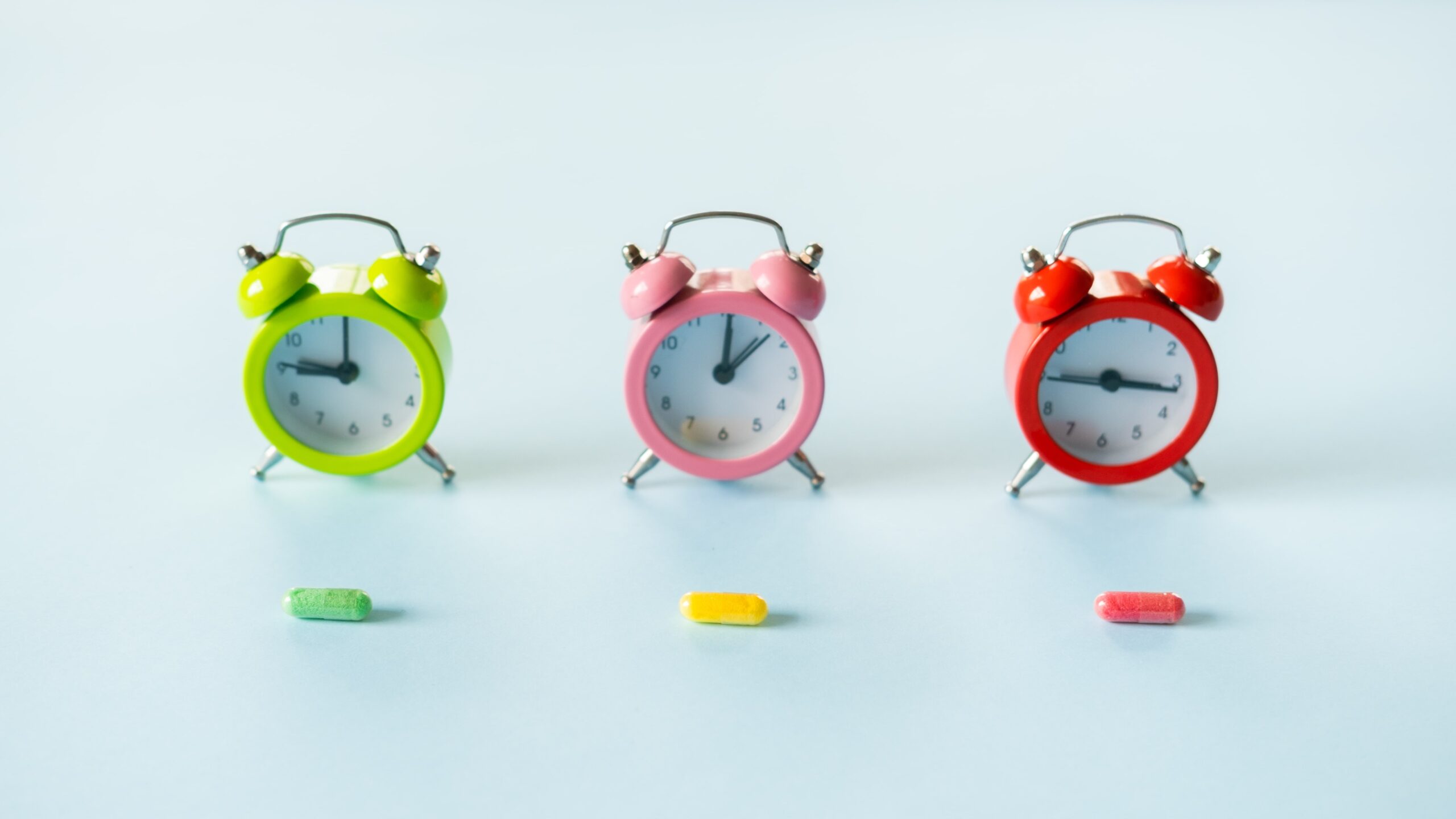
You can use medication reminder devices to help your loved one remember their medications. One of our favorite ways to remind an elder about their pills is using a pillbox with alarms. The alarm will sound after the time that you set for them, so they don't forget!

For example, if your loved one takes several types of medication at different times during the day, you can set the alarm on the pillbox for each time they need to take their medication. It is a great way to keep them on track!

In this blog post, we will discuss five clever ways to keep your elders safe from medication mix-ups!

When to use a Medication Reminder?

How to use a Medication Reminder?

5 Ways to Keep Your Elders Safe From Medication Mix-Ups

medication reminder

Let's talk about how smart people make sure their parents and grandparents take their medicines on time.

Labels on Medication Bottles

Another great way to keep your elders safe from medication mix-ups is by using labels on their medication bottles. This can be especially helpful if they are taking multiple medications that look similar. You can also use a label maker to create custom labels for each of your loved one's medications!

How to use Labels on Medication Bottles

Medication Containers

medication container

Another way you can keep your loved one safe from medication mix-ups is by keeping all their medications in a single container. Many different pill containers will work for this, but our favorite use small storage bins! This is a great way to keep all of your loved one's medications in one place and easy to find!

How to use a Medication Container

Medication Reminders on Smartphones

medication reminder app
Image Source: medication reminder app

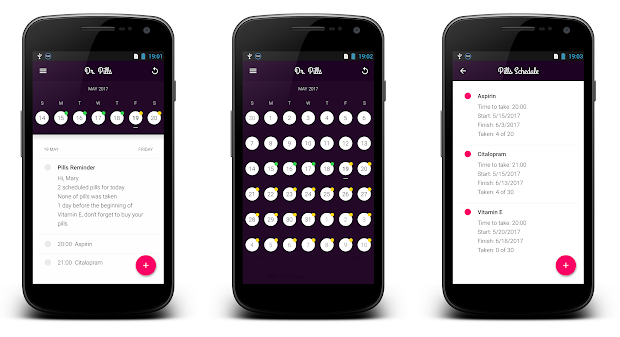
If you don't want to use a physical medication reminder device, you can always install a medication reminder app on your loved one's phone! This is a great way to keep them safe from medication mix-ups and take their medications correctly.

You can choose which days of the week your loved one needs to take their medication and set the alarm. The app will send a push notification to remind them!

How to install a Medication Reminder app

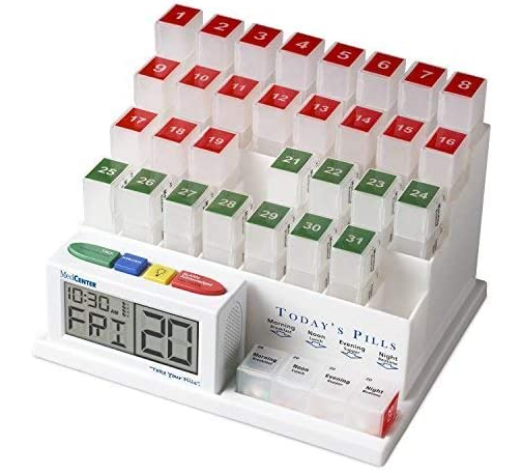
Medication Reminder Device

Some people may have trouble remembering which medications need to be taken at the correct time. Others may have difficulty remembering what medication they are taking at all! Medication reminder devices can help with this and make sure your elder is getting the drugs that they need when they need them most.

medication reminder device
Image Source: Medcenter Talking Alarm Clock And Medication Reminder

How to use a Medication Reminder Device

Reminder Devices + Labels Together

You can also use a combination of all three types of reminders to keep your loved one safe from medication mix-ups! This may be the best option for some patients because it takes advantage of many different methods that will help them remember their medications.

Using one or more of the methods listed above can help reduce the risk of an accident!

Keep your loved ones safe from medication mix-ups by using a combination of reminder devices and labels.

If you have any questions about using reminder devices and labels together, please don't hesitate to contact us! We would be happy to help you.

People Also Asked (FAQs)


How do you remind someone to take their medication?

There are a few different ways to remind someone of their medication! You can use reminder devices, labels on the bottles, or install an app on your loved one's phone. We have listed all three in this blog post and explained how they work with each other!

What are the main concerns with medications for the elderly?

Some of the main concerns with medications for older adults are medication mix-ups and forgetting to take their medications. This can lead to serious health problems down the line if not taken care of!

How do you remember names for medications?

It can be challenging to remember the names of all of your loved one's medications. You can use a medication reminder device or app to help keep track! This will make sure that they are taking their medications correctly and on time.

Do I need to monitor my elderly parent's medication?

No, you don't need to monitor your elderly parent's medication, but it is always a good idea to discuss with their doctor about what medications they are taking and why. It will help you be aware of any potential problems that could occur.

What is medication determination?

Medication determination is a process that helps you and your doctor decide which medication might be the best option for your loved one. It will ensure they are getting exactly what their body needs to get better!

How to Save Money on Prescriptions?

There are a few ways you can save money on prescriptions! You can ask your doctor if a generic medication could be prescribed, get the medicines through mail-order pharmacy, or see if the treatment is available at a lower cost through different pharmacies.

We hope this blog post has helped you learn more about how to keep your loved ones safe from medication mix-ups and blunders and has answered some of your FAQs! If you have any other questions, please don't hesitate to contact us.

Top 7 Personal emergency Response System for Seniors

One of the most difficult things to cope with as we age is emergencies. Emergency Response Systems for elders can help us feel safer and more secure in these situations.

Emergency Response Systems are becoming increasingly popular around the world. There’s a good reason: they allow people to feel confident that they will be safe no matter what happens.

Golden-agers can use these methods or systems in various situations, such as disasters and power outages.

They can also use it to ensure safety and peace of mind in everyday life. Emergency responders are usually quick to arrive on the scene. And even if you're unable to reach them yourself, these systems provide an extra layer of security when emergencies happen.

In this article, you'll learn about 8 Methods and Personal Emergency Response Systems that can help our aging family members stay safe in an emergency.

Why should we use an emergency response system?

An emergency response system is a piece of equipment that offers support to people in danger. It might be someone living alone and therefore vulnerable.

Or those with medical conditions that could leave them unable to seek help quickly enough if they needed it. One can evade such misfortunes by using an emergency response device.

Fact: Elderly are at a higher risk of falling

Falls are the leading cause of injury and medical emergency among seniors. In fact, falls account for more than 80% of all injuries sustained by seniors aged 65 and older. Every year, an estimated one-third of seniors in the United States fall. Many of these falls lead to serious injury, hospitalization, or even death.

Elderly are at a higher risk of falling

Seniors are at a higher risk of falling for a variety of reasons. As people age, they may lose muscle mass and bone density, making them more prone to falls. Additionally, seniors may have difficulty balancing or seeing clearly, and they may be less agile than they used to be.

Certain medications can also increase the risk of falls and health conditions such as arthritis and heart disease.

While seniors are often warned about the dangers of falls, they may not know how to prevent them. Let's read the article and find how to protect our loved ones from harm.

How to choose the perfect emergency response device?

When an emergency arises, you must have the proper emergency response device to help you get through it. Knowing which one is right for you can be challenging with so many different emergency response devices in the market.

Here are a few tips on how to choose the perfect emergency response device:

Consider your needs

The first step in choosing the right emergency response device is considering your needs. What type of emergency do you need to prepare for?

Consider your budget

Next, consider your budget. Not all emergency response systems are created equal, and some will cost more than others. Choose the system that fits your needs and your budget.

Consider ease of use

Another crucial factor to consider is how easy the emergency response device is to use. Some devices are complicated to operate, while others are straightforward to use. Choose the device that is easiest for you to use in an emergency.

Consider portability

Some emergency response devices are very portable, while others are not. Choose a mobile emergency response device if you need a system that you can take with you wherever you go.

Consider features

Finally, consider the features of each emergency response system before making your choice. Each system has its own unique set of features, so choose the emergency response device that has the features you need.

Tools to Keep Elderly Safe in Emergencies of the Future

Older adults face unique challenges in emergency situations. Their vulnerability makes it essential to have emergency response systems specifically designed to meet their needs.

Life Alert Pendant

There are a variety of wearable devices on the market these days. One of the best is the Life Alert Pendant. This small device can be worn around your neck or on your wrist. It sends out an emergency signal if you need help. It's perfect for seniors who want to live independently but still want to know that they can get help if they need it.

The life alert pendant uses detection technology to sense when you've fallen or when you're in danger. If something happens, the pendant will send out a signal to emergency responders with a press of a button. This way, you can get help quickly and easily without worrying about anything.

Plus, it is straightforward to use. Just press a button, and you'll be connected to emergency responders. They can help you get the help you need quickly and easily.

Bay Alarm Medical Alert Systems

Bay Alarm Medical is one of the most popular medical alert system providers in the United States. It has been in business since 1964 and has a large customer base.

Bay Alarm Medical's home medical alert system includes a wearable emergency button, a pendant or wristband, and a base unit. The base unit plugs into your home's telephone line and communicates with the wearable emergency button.

If you need assistance, you just need to press the emergency button. It will then notify Bay Alarm Medical's monitoring center. Bay Alarm Medical's mobile medical alert system is similar to their home medical alert system. It has GPS built-in for tracking and locating.

One of its primary selling points is its low monthly cost. It does not require a long-term contract, and you can cancel your service at any time. It also offers a 30-day money-back guarantee on all of its products. It is one of the most affordable medical alert system providers on the market. Their monthly cost is significantly lower than competitors like Lifeline and Philips Lifeline.

It also offers a wide variety of products, so you can find the perfect medical alert system for your needs.

MobileHelp

ADT's MobileHelp service is a cellular-based medical alert system that allows you to instantly contact the help center during an emergency.

It features the device in different variants. For example, you can wear it around your neck to allow instant access to the Personal Emergency Response Center (PEC). Once activated, this device will connect users with a live operator who can provide personal assistance.

MobileHelp is compatible with standard analog phones, IP phones, and digital cell phones.

Mobilehelp- ERS device

In the event of an emergency, pressing the orange button activates your MobileAlert pendant and connects you to one of our operators. Emergency alerts will be routed to the call center closest to your location, whether you are at home or away.

The price for their no-contract Wireless Medical Alert System starts at $25/month or $100/year, depending on which package you choose for monitoring and additional equipment.

Medical Guardian

Medical Guardian is one of the leading providers of Voice Assist Technology in the United States.
They provide 4G LTE & WiFi coverage for their Wearables products, which gives users the peace of mind that they can always stay connected. Their products include various wearable devices, such as watches, pendants, and wristbands.

Medical Guardian - emergency response system

One of Medical Guardian's most popular products is its Freedom Guardian Watch. This watch was designed specifically for seniors. It comes with many features that make it perfect for those who want to live independently.

The Freedom Guardian Watch has a built-in panic button that allows users to quickly get help in an emergency. It also includes fall detection technology, which can automatically contact emergency services if it detects that the wearer has fallen.

Bthere

Compassion and Technology are brought together.

Life Fone

Life Fone is a device designed to help people in emergency situations. It is worn as a pendant or bracelet, and it can be used to call for help if you are in danger. The Life Fone app also allows you to track your location, so friends and family can find you quickly if needed.

The app can also send an emergency message with your location. Life Fone is available for purchase online and in stores.

Lifefone

Extra features of the Life Fone include a built-in light and alarm. The alarm feature can scare away potential attackers or attract attention in an emergency situation. The light can brighten dark areas or as a warning signal.

The Life Fone companion app can be used to manage your settings and track your location. The app is available for free download on the App Store and Google Play.

RescueTouch

RescueTouch is an easy-to-use smartphone application that enables emergency responders to quickly find and dispatch the nearest available ambulance, fire truck, or police car. The app has a limited feature set, but its simplicity makes it a valuable tool for first responders.

One of RescueTouch's key features is its map-based interface. First responders can quickly locate the nearest hospital, fire station, or police precinct by tapping on the corresponding icon on the map. They can also view the location of all nearby emergency vehicles on the map. This information can help direct traffic and avoid collisions during emergencies.

rescuetouch medical alert

Another valuable feature of RescueTouch is its color-coded incident list. This list displays all active emergencies in your area. Red emergency boxes indicate a current emergency situation, while green boxes represent previously resolved incidents. When you tap an incident on the list, RescueTouch will provide you with information such as the type of emergency, the address, and the nearest available emergency vehicle.

Wellbe Medical Alert Plus

It’s a smartwatch made for seniors and people with chronic diseases.

Wellbe Medical Alert Plus

The GPS tracking feature allows family members or caregivers to keep track of their loved ones at all times. They can view their location on Wellbe's secure website, via text message, or by using the app. With one press of the SOS button, they can also send an emergency signal if need be.

The GPS smartwatch device has all other classic functions available in many other watches these days, such as messaging, GPS navigation tracking systems, fitness trackers, Bluetooth speakers, and so on.

People Also Asked (FAQs)

What is the best alert system for elderly?

It depends on the needs and special cases. We have discussed those in this article to help you decide the emergency alert system that works best for you.

Are there free medical alert systems?

Various free apps available in the Play Store and AppStore can provide flexible support (although limited). For devices and some apps, you would have to pay.

Is there a medical alert system that calls family?

Yes. Several medical alert systems inform and alert family members almost immediately. We have discussed many of the good ones in this article.

How do personal emergency response systems work?

​​Personal emergency response systems, or PERS, are devices that allow people to call for help in the event of an emergency. There are various types of PERS, but all work in more or less the same way.
When you activate a PERS, it will signal a monitoring center. The monitoring center will then alert emergency services, who will come to your aid.

Most Important Note

Remember to stay calm when an emergency occurs. Whether you or your loved ones, whoever falls victim to such a scenario, make yourself clear when stating the crisis to an assistant or operator. Mention the location if your device does not support GPS.